

88% Off Driver Booster 14 Pro Coupon & Review 2026
IObit Driver Booster 14 PRO keeps your Windows PC running smoothly and efficiently. With just one click, it scans your system for outdated, missing, or faulty drivers and updates them automatically from a massive database of over 6.5 million certified drivers.

Driver Booster 14 Pro Coupon Codes Oct 2026
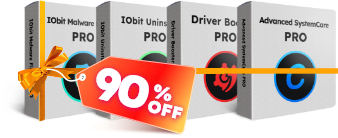


Table of Contents
What is Driver Booster PRO?
Driver Booster PRO is one of the extremely useful software programs provided by IObit. As we know, drivers are an indispensable part of the computer, and updating them can be quite tricky, especially when reinstalling Windows on a new machine. Updating drivers regularly is also an effective way to enhance your computer’s overall performance and optimize your gaming experience. Driver Booster PRO is a perfect option for you to easily download and update existing drivers on your device, saving you more time.
With just one click, it can easily and accurately update outdated game components. In addition to scanning and updating the latest version of drivers or missing drivers, the software also offers other helpful tools, including backup and restore, resolving sound issues, fixing device errors, and updating drivers offline.

Key Features
- Contain an extensive online database and supports more than 3 million device drivers.
- Provide users with the most accurate and up-to-date automatic updates for Drivers.
- Download and update outdated drivers with just one click.
- The System Restore and Rescue Centre allows users to check driver backup devices and restore them safely.
- Customize your drivers for an exceptional gaming experience.
- Repair game components: Adobe Flash Player ActiveX, Microsoft DirectX Runtime.
- Full support for driver updates for Windows 10 20H2.
- Optimized the tool “Clean Unplugged Device Data” for easier cleaning.
Pricing and Plans
Pricing & Subscription Options
- 6 Months/3 PCs: $10.17 (regularly $16.95)
- 1 year/1 PC: $11.97 (regularly $39.95)
- 1 Year/3 PCs: $17.99 (regularly $74.85)
Free Trial & Money-Back Guarantee
- Free Trial: 30-day trial with limited features.
- Money-Back Guarantee: A 60-day full money-back guarantee is provided for purchased licenses.
Auto-Renewal & Cancellation
- Subscriptions are set to auto-renew by default.
- You can cancel auto-renewal at any time; your license remains valid until the end of the current billing period.
- To cancel, contact IObit support or manage your subscription through the 2Checkout purchasing platform.
Discount Coupon Codes
- Verified coupon codes are available, offering up to 88% off specific plans (for example, Driver Booster 13 PRO with Gift Pack).
- Tickcoupon and similar sites regularly provide these codes. Please note that coupons are typically valid only for new purchases, not renewals, and may have an expiration date.
Frequently Asked Questions
What is Driver Booster 13 Pro?
Driver Booster 12 Pro is a driver update utility developed by IObit. It automatically scans, detects, and updates outdated, missing, or faulty drivers on your Windows PC, ensuring optimal performance and system stability.
How does Driver Booster 13 Pro improve gaming performance?
The software prioritizes updating game-ready drivers and components, offering a Game Boost Mode that enhances the gaming experience with smoother gameplay and new features.
What is the difference between Driver Booster 13 Free and Pro versions?
The Pro version offers automatic updates, access to a larger driver database, advanced game optimization, automatic driver backups, silent installations, and priority support, whereas the free version provides only manual updates and basic features.
Is Driver Booster 13 Pro safe to use?
Yes, it only installs IObit and WHQL-certified drivers, and automatically backs up current drivers for safer restoration in case of issues.
How can I get up to 88% off Driver Booster 13 Pro?
You can use special coupon codes from Tickcoupon and other partners to get up to 88% off. For example, Tickcoupon regularly provides tested and verified codes for this discount.
Does Driver Booster 13 Pro support Windows 11?
Yes, it fully supports updating drivers on Windows 11, as well as earlier Windows versions.
Can Driver Booster 13 Pro fix device errors?
Yes, it can detect and fix over 35 common device errors, such as sound or connection problems, with a single click.
System Requirements
| Component | Requirement |
|---|---|
| Operating System | Windows 11, Windows 10, Windows 8.1, Windows 8, Windows 7, Windows Vista, Windows XP |
| Processor | Intel Pentium 4 or higher / 1 GHz or faster / Intel Pentium i3, Multi-core GHz or higher |
| RAM | 1 GB minimum (2 GB or more recommended; some sources mention 4 GB for best performance) |
| Disk Space | 200 MB of free space required for installation (some sources mention 100–500 MB) |
| Screen Resolution | 1024×768 pixels or above |
| Internet | Required for driver downloads and updates |
| Languages Supported | Multiple languages (including English and other major languages) |
| Architecture | 32-bit (x86) and 64-bit (x64) |
| Installation Type | Offline Installer / Full Standalone Setup |


Only $23.95
Works for me
Appreciate it for the coupon.