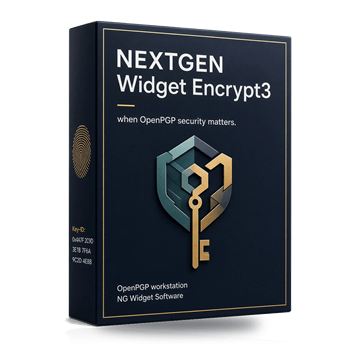
10% Off NEXTGEN Widget Encrypt3 Coupon Code Nov 2026 (Verified)
Get 10% off NEXTGEN Widget Encrypt3 for Windows (OpenPGP encryption workstation, local encrypted vault, 1 PC license).

NEXTGEN Widget Encrypt3 Coupon Code Nov 2026
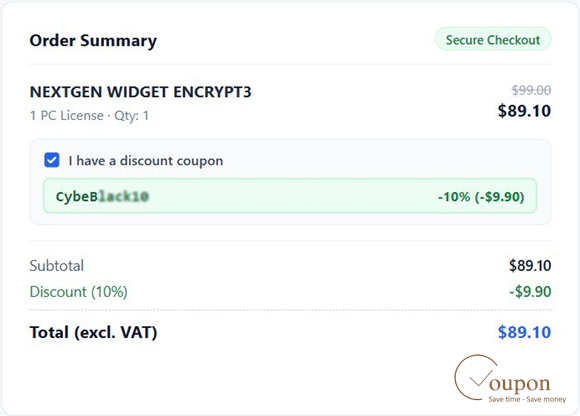
Looking to lock down files, folders, and OpenPGP messages on Windows without relying on cloud key servers? Use the verified NEXTGEN Widget Encrypt3 promo code CybeBlack10 to take 10% off a 1-PC license—dropping the regular $99.00 checkout price to $89.10 (excluding VAT).

Table of Contents
How to Apply the NEXTGEN Widget Encrypt3 Coupon
- Click the offer button above to open the official 2Checkout order page for NEXTGEN Widget Encrypt3.
- Verify that the I have a discount coupon box is ticked and confirm CybeBlack10 is applied—the unit price updates from $99.00 to $89.10 (-10% / -$9.90).
- Review your order summary, choose a payment method, and enter your billing email.
- Complete checkout to receive your license key and activation instructions by email.
What is NEXTGEN Widget Encrypt3?
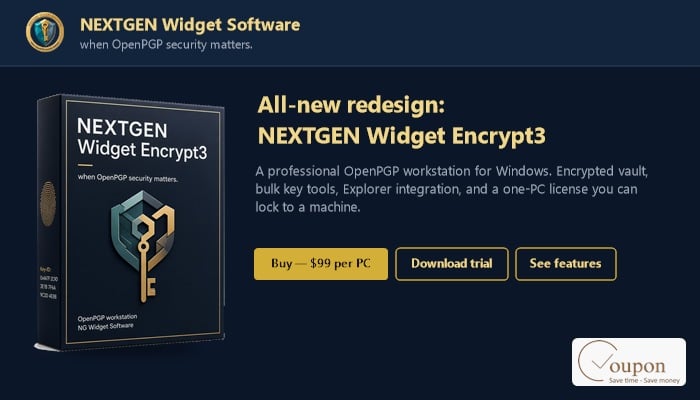
NEXTGEN Widget Encrypt3 (latest build v1.0.0.5) is a ground-up Windows OpenPGP workstation developed by NEXTGEN Widget Software on top of the Bouncy Castle cryptographic library and .NET Framework 4.8.1. Built as the successor to the earlier NEXTGEN Widget Encrypt series, it handles key generation, file and folder encryption, digital signing, and recipient management completely locally—your keys and encrypted vault never leave your PC.
Key Features of NEXTGEN Widget Encrypt3:
- Modern Key Management: Generate and manage OpenPGP keys across RSA, DSA + ElGamal, ECDSA + ECDH, and Ed25519 + X25519 algorithms with configurable hashes, ciphers, compression, expiration extensions, revocation certificates, a built-in password generator, and full public-key QR export.
- Flexible Key Import & Validation: Import and export ASCII-armored (
.asc) or binary (.gpg/.pgp) keys, or batch-import keys via CSV template and ZIP archives with dry-run previews plus duplicate, expired, revoked, and weak-algorithm warnings. - File, Folder, Text & Clipboard Workflows: Encrypt, decrypt, sign + encrypt, decrypt + verify, clear-sign, and verify individual files, full directory trees (with optional subfolder traversal), raw text, or clipboard content.
- Recovery Copy & Desktop Automation: Protect business continuity by adding a second recovery key on encryption, automate recurring jobs with watch folders, organize contacts into recipient groups, and trigger actions directly from the Windows Explorer right-click menu.
Pricing, Licensing & Refund Policy
NEXTGEN Widget Encrypt3 retails at $99.00 per PC (reduced to $89.10 before VAT when applying CybeBlack10). Each license binds to one Windows machine code (found under Help → About / MachineCode.txt), with a 1-year machine replacement allowance via the official Help Desk if hardware changes. You can test the installer (NGWE3setup.exe) first—evaluation keys created in trial mode carry a 30-day expiry cap. Paid orders also include a 30-day money-back guarantee from the date your activation key is emailed; submit your order details and a deactivation code (Help → Deactivate license / DeactivationCode.txt) through the NEXTGEN Widget Software Help Desk.
Frequently Asked Questions
How does NEXTGEN Widget Encrypt3 licensing work across computers?
Each standard license activates a single Windows PC using its unique machine code (found under Help -> About or MachineCode.txt). If you replace your computer within one year of purchase, you can request a license replacement through the official Help Desk with your receipt and new machine code.
Is there a free trial available before purchasing?
Yes. You can download the NGWE3setup.exe installer for Windows (with .NET Framework 4.8.1) to test the application before buying. Newly created evaluation keys carry a 30-day expiry cap.
What is the refund policy for NEXTGEN Widget Encrypt3?
Paid orders include a 30-day money-back evaluation period starting from the date the activation key is emailed. To request a refund, submit a Help Desk ticket with your order number, original order email, reason for return, and a deactivation code generated via Help -> Deactivate license (DeactivationCode.txt).
Does NEXTGEN Widget Encrypt3 upload files or encryption keys to the cloud?
No. Key generation, encryption, decryption, digital signing, and encrypted vault storage run locally on your Windows PC, so keys and files never leave your computer.