33% Off Auslogics Disk Toolkit Coupon & Review 2026
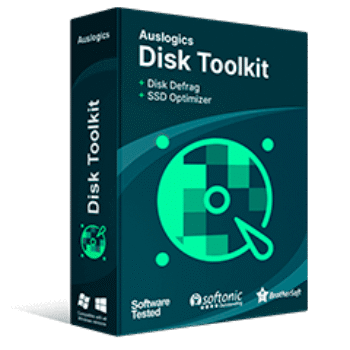
Auslogics Disk Toolkit is an all-in-one software suite designed to optimize, maintain, and monitor both HDDs and SSDs, combining Disk Defrag and SSD Optimizer in a single package for easy disk care.

Auslogics Disk Toolkit Coupon Codes Oct 2026
Ready to start saving big on your purchases? Use our Auslogics coupon code and enjoy 33% savings on the Auslogics Disk Toolkit. Don’t wait – start saving now!

What is Auslogics Disk Toolkit?
Auslogics Disk Toolkit emerges as a robust, all-in-one solution designed to address the unique needs of each drive type, ensuring your PC runs smoothly and efficiently. This toolkit combines two of the company’s flagship utilities—Disk Defrag and SSD Optimizer—into a single, user-friendly package.

What distinguishes Auslogics Disk Toolkit is its dual-focus approach. For HDDs, it offers advanced defragmentation algorithms that reorganise fragmented data, resulting in faster file access and improved system responsiveness. For SSDs, the toolkit employs specialised optimisation techniques that minimise unnecessary write operations, enhancing speed and prolonging the drive’s lifespan. Additional features include real-time drive health monitoring, a space analyser to identify and clear large or redundant files, and customizable scheduling for automated maintenance.
Key Features
- HDD Defragmentation: Advanced algorithms reorganize fragmented data on hard drives to improve file access speed and overall system performance.
- SSD Optimisation: Specialised tools enhance SSD speed and longevity by minimising unnecessary write operations and managing data efficiently.
- One-Click Optimization: Streamlined process allows users to optimize drives with a single click for quick performance boosts.
- Drive Health Monitoring: Real-time monitoring provides alerts on drive health to help prevent potential failures.
- Space Analyzer: Identifies large or redundant files and folders, making it easy to free up valuable disk space.
- Defrag Scheduling: Customizable scheduling options enable automatic maintenance at user-defined times.
- Boot Time Optimization: Reduces system startup times by optimizing boot files for faster loading.
- Support for Multiple Drive Types: Seamlessly works with both HDDs and SSDs, providing tailored optimization for each.
- Customizable Settings: Offers extensive options for configuring defragmentation and optimization tasks to suit user preferences.
Pricing and Subscription
| Plan | Regular Price | Discounted Price | Upgrades | Coupon Codes Available |
|---|---|---|---|---|
| 1 Year License | $49.95 | $33.47 | 1 Year free upgrades | Yes |
Free Trial & Money-Back Guarantee
- Free Trial: Available, allowing users to test the software before purchase.
- Money-Back Guarantee: 30-day refund policy if there are technical issues or the product does not work as described. Refund requests must be made via support within 30 days of purchase.
Auto-Renewal & Cancellation
- Cancellation: You can cancel at any time before the renewal date via email link, account panel, or support contact.
- Auto-Renew: Yes. You will receive an email notification ~30 days before being charged.
Discount Coupon Code Information
- Discounts: Coupon codes providing up to 44% off are available from sites like Tickcoupon.
Frequently Asked Questions
What are the main features of Auslogics Disk Toolkit?
Key features include HDD defragmentation, SSD optimization, real-time drive health monitoring, space analyzer, one-click optimization, customizable scheduling, and support for both HDDs and SSDs.
Is Auslogics Disk Toolkit safe to use on SSDs?
Yes, the toolkit automatically detects drive types and uses SSD-safe optimization algorithms, ensuring no harm to your SSD’s lifespan or performance.
How do I install and activate Auslogics Disk Toolkit?
Download the installer from the official Auslogics website, run the setup, and follow the on-screen instructions. After installation, enter your license key to activate the full version.
Does Auslogics Disk Toolkit offer a free trial?
Yes, a free trial is available so you can test the software’s features before purchasing the full version.
How do I get a 33% discount coupon for Auslogics Disk Toolkit?
You can get a 33% off coupon code for Auslogics Disk Toolkit from Tickcoupon. Visit their website and use the provided code at checkout to enjoy significant savings.
Will the software work on both Windows 10 and Windows 11?
Auslogics Disk Toolkit is compatible with all modern Windows versions, including Windows 10 and Windows 11.
Technical Specifications
| Requirement | Minimum Specification |
|---|---|
| Operating System | Windows 11, 10, 8, 8.1, 7, Vista, XP (32-bit & 64-bit) |
| Processor | Intel Pentium or AMD K5, 133 MHz or better |
| RAM | 32 MB or more |
| Disk Space | At least 20 MB free |
| Internet | Not required for basic use; needed for updates and some features |
| Languages Supported | Multiple languages including English, German, Spanish, French, Italian, Japanese, Polish, Chinese |
| Installation Type | Standard Windows installer (EXE); supports silent and interactive installation modes |