15% Off Corel PDF Fusion Coupon & Review 2026
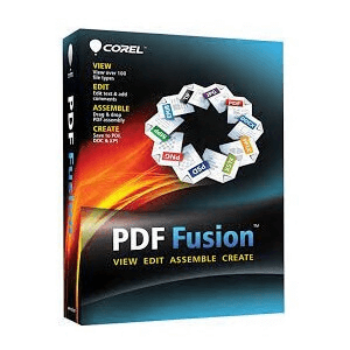
Corel PDF Fusion is an all-in-one PDF software that allows users to view, edit, assemble, and create PDF documents using more than 100 supported file formats.

Corel PDF Fusion Coupon Code
Elevate your document management capabilities with Corel PDF Fusion, now available at a 15% discount with our exclusive Corel coupon code. Corel PDF Fusion is a versatile PDF creation and editing software that supports over 100 file types, making it easy to open, view, and edit documents from various sources.

Table of Contents
How to Use Your Coupon Code
- Click on the “Copy Code” button to go to the checkout page
- Enter the coupon code at checkout to apply your discount (or you will see your applied discount because we have already embedded the coupon code)
- Enter billing information and select payment options to place an order
- Enjoy!

What is Corel PDF Fusion?
Corel PDF Fusion is a powerful PDF creation and editing software designed to streamline document management tasks. It allows you to open, view, and work with over 100 different file types, including MS Word, MS PowerPoint, Adobe Illustrator, and MS Visio. In addition, you can create new PDFs from existing documents, add text, insert images, create hyperlinks, and add bookmarks. The software also features robust conversion tools, and assembly capabilities to combine pages from multiple documents. It brings the ability batch conversion for efficiency, and document security options like password encryption and watermarks. Additionally, it includes optimization tools for printing and web outputs, making it a comprehensive solution for all your PDF needs.

Key Features
- Open, view, and work with over 100 different file types, including popular formats like MS Word, MS PowerPoint, Adobe Illustrator, and MS Visio.
- Add and arrange content from multiple sources by dragging and dropping files onto the interface.
- Create new PDFs from existing documents, add text, insert images, create hyperlinks, and add bookmarks.
- Convert documents to and from PDF format with support for DOC, XPS, and other file types.
- Combine pages from multiple documents into a single PDF, insert or remove pages, and merge documents.
- Convert multiple files simultaneously to various formats, streamlining the document management process.
- Protect your PDFs with password encryption and add watermarks for additional security.
- Use the document wizard to optimize PDFs for different outputs, including print and web formats.
Pricing and Subscription
- Single License: Just $59.49 after using coupon code (Originally $69.99)
Free Trial & Money-Back Guarantee
- Free Trial: A fully functional 30-day free trial is available directly from the Corel (WordPerfect) website, letting users evaluate the software before purchase.
- Money-Back Guarantee: Corel offers a 30-day money-back guarantee on purchases made directly through their website. If you are not satisfied, you can request a full refund within 30 days. For purchases made elsewhere, you must follow the refund policy of the specific retailer.
Auto-Renewal and Cancellation
- No Automatic Renewal: Corel PDF Fusion is a one-time purchase and does not operate on a subscription or auto-renew basis. There is no need to cancel an automatic renewal; you pay once and own the license perpetually.
- For other Corel subscription products, auto-renewal can be canceled via the account settings, but this is not relevant for PDF Fusion.
Discount Coupon Code
- Tickcoupon and several other coupon sites offer verified coupon codes for Corel PDF Fusion, with a 15% discount.
- These coupon codes are time-limited and subject to change, so please check the provider’s site for the latest offers.
Frequently Asked Questions
What file types can Corel PDF Fusion open and create?
Corel PDF Fusion supports over 100 file formats. It can open PDFs, Microsoft Office documents (Word, Excel, PowerPoint), images, CAD files, and more. You can create and save files as PDF, PDF/A, XPS, and DOC formats.
Is Corel PDF Fusion a one-time purchase or a subscription?
Corel PDF Fusion is sold as a one-time, perpetual license. There are no recurring subscription or auto-renewal fees.
Is there a free trial available?
Yes, you can use the full-featured trial version of Corel PDF Fusion for 30 days before deciding to purchase the software.
What happens after the trial period ends?
After the 30-day trial, the software remains usable in viewer mode. You can still open, view, and print documents, but any saved or printed files will include a watermark until you purchase a license.
Is there a money-back guarantee?
Yes, purchases made directly from Corel offer a 30-day money-back guarantee. Third-party sites may have their own refund policies.
How do I use a 15% off coupon code from Tickcoupon?
To get 15% off, use the coupon code SW***REL15 at checkout when purchasing from authorized vendors or through the Tickcoupon website. Make sure the code is still valid at the time of purchase.
Technical Specifications
| Specification | Details |
|---|---|
| Operating System | Windows 10, 8/8.1, 7, Vista, XP (all with latest service packs; 32-bit and 64-bit editions supported) |
| Processor | 1.3 GHz or faster |
| RAM | 512 MB (1 GB recommended) |
| Disk Space | 250 MB of available hard disk space (408 MB if including download file) |
| Internet | Required for downloading the installer and for product updates |
| Languages Supported | English (additional languages may be available depending on the distribution, but English is standard) |
| Installation Type | Windows Installer file (.msi) for local installation; can be deployed via Novell ZENworks, Citrix XenApp, Windows Group Policies; supports virtualization (Microsoft Hyper-V, VMware); can be hosted on Windows Server with Terminal Services |