30% Off Leawo Blu-ray Copy Coupon & Review 2026
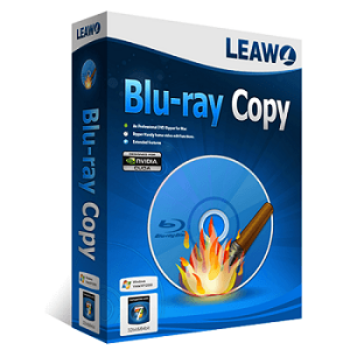
Leawo Blu-ray Copy is a software tool that lets you copy, back up, decrypt, and compress Blu-ray and DVD discs, folders, or ISO files without loss of quality. The software supports region removal and 1:1 disc duplication for full movies, main movies, or selectable titles.

Leawo Blu-ray Copy Coupon Codes
Use this Leawo Blu-ray Copy coupon code to spend ONLY $31.46 on Leawo Blu-ray Copy. Don’t miss out! Click to get the coupon code to start saving! Order now to spend less!
For Windows:

For Mac:

Table of Contents
What is Leawo Blu-ray Copy?
Are you still looking for the best Blu-ray copying software? Need to make a copy of your Blu-ray disc for security review. Many Blu-ray copying programs are on the market, but very few offer 1:1 lossy backup. To create lossless copies, you should use a qualified tool. Leawo Blu-ray Copy is the top-rated Blu-ray copy and backup software available today. With Leawo Blu-ray Copy software, you can easily copy and backup Blu-ray/DVD movies in a disc, folder, or ISO image file to a computer hard drive or blank disc.

The software offers the easiest-to-use solution for removing Blu-ray/DVD protection, simplifying your workflow. Advanced disc cloning technology also supports 1:1 disc cloning without losing quality and compresses BD50 to BD25 or DVD-9 to DVD-5 with high quality.
Key Features
- Copy Blu-ray discs with BD+ or AACS protection
- Copy DVD with CSS encoding
- High-quality Blu-ray and DVD copy, full movie backup without loss of quality.
- Three copy modes give you more options to back up what you want.
- Backup Blu-ray and DVD content to the hard drive.
- Create ISO images for Blu-ray discs and DVDs.
- Supports the latest Blu-ray discs
Pricing and Plans
Pricing & Subscription Options
- 1 Year: Just $31.46 after using coupon code (Regularly $44.95)
- Lifetime: Just $69.96 after using coupon code (Regularly $99.95)
Free Trial & Money-Back Guarantee
- Trial version: Available for both Windows and Mac. The trial version allows you to preview all features but restricts copying to the first 5 minutes of a Blu-ray/DVD, valid for 30 days.
- Money-back guarantee: 1-Year License: 5-day money-back guarantee; Lifetime License: 14-day money-back guarantee, both in accordance with Leawo’s refund policy.
Auto-Renewal & Cancellation
- Auto-Renewal: By default, the 1-year subscription enables auto-renewal, meaning your payment method will be charged upon expiration to extend your license automatically.
- Cancellation: For subscriptions (1-Year license), cancel auto-renewal via the payment platform.
Discount Coupon Codes
- Verified coupon codes are available, offering up to 30% off on certain plans.
- These coupon codes are time-limited and may change, so check the provider’s site for the latest offers.
Frequently Asked Questions
Can Leawo Blu-ray Copy remove copy protection and region restrictions?
Yes. Leawo Blu-ray Copy can remove disc protections such as AACS, BD+, and the latest MKB, as well as region restrictions on Blu-ray and DVD discs, enabling you to make region-free backups.
Does Leawo Blu-ray Copy support 3D Blu-ray copying?
Yes. The software fully supports 3D Blu-ray copy and backup, maintaining all 3D effects in 1:1 disc backups.
Is there any quality loss when copying or compressing discs?
Leawo Blu-ray Copy performs 1:1 lossless backups, especially using Full Movie mode. You can compress BD50 to BD25 or DVD-9 to DVD-5 with minimal quality loss.
Can I select subtitles and audio tracks for backup?
Yes. You can freely choose subtitles and audio tracks to include during the backup process in any of the copy modes.
What platforms does Leawo Blu-ray Copy support?
It is available for both Windows (Windows 7–11) and Mac (macOS 10.13 and higher, including the latest versions).
How do I apply a 30% discount coupon code (Tickcoupon)?
You can use the 30% OFF coupon code LEAWO-30PCT-OFF on Tickcoupon or directly during checkout on Leawo’s site. This discount is available for both 1-year and lifetime licenses but is time-limited—check validity before use.
Can I copy discs directly to ISO, folders, or another disc?
Yes. The software allows direct disc-to-disc, disc-to-folder, and disc-to-ISO copying, as well as burning ISO files to Blu-ray/DVD discs.
Technical Specifications
| Item | Requirement |
|---|---|
| Operating System | Windows 7, Windows 8, Windows 8.1, Windows 10, Windows 11 |
| macOS 10.13 (High Sierra) or later | |
| Processor | 1 GHz Intel or AMD CPU or above |
| RAM | 512 MB (1024 MB or more recommended) |
| Disk Space | 5 GB+ for DVD copy, 25 GB+ for Blu-ray copy |
| Graphics Card | NVIDIA GeForce GTX 260 or above |
| Internet | Required for product activation, updates, and downloading program files |
| Languages Supported | Chinese, English, Dutch, Finnish, German, French, Hungarian, Italian, Japanese, Portuguese, Portuguese (Brazil), Russian, Spanish, Vietnamese, Polish |
| Installation Type | Standard downloadable installer for Windows and Mac |
| Other Requirements | Recordable Blu-ray drive for disc copying |