29% Off Okdo All to Image Converter Professional Coupon
Okdo All to Image Converter Professional is a handy tool batch converter that turns PDFs, Office files, images, and websites into high-quality image formats while preserving original layout and content.

Okdo All to Image Converter Professional Coupon Code 29 Sep 2026

Table of Contents
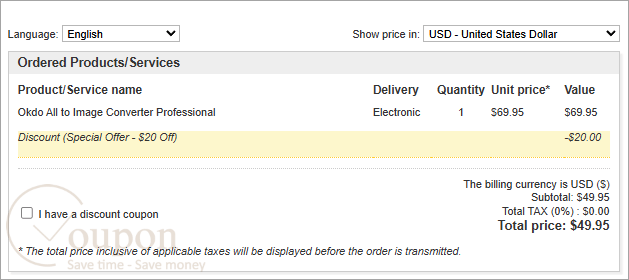
How to apply the coupon code?
Copy and paste the coupon code during the checkout process ( or use the checkout link embedded with the coupon code)
Okdo All to Image Converter Professional Intro and Features
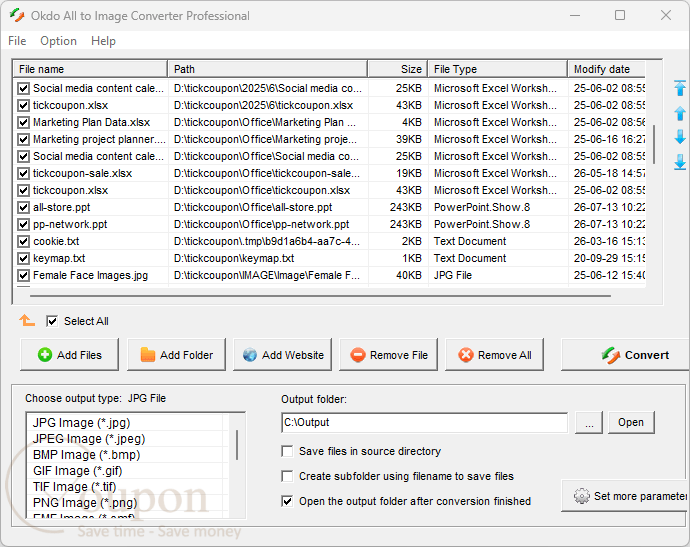
Okdo All to Image Converter Professional is designed to help users convert documents, spreadsheets, presentations, images, HTML pages, text files, and website URLs into multiple image formats. It comes with PDF handling, encrypted file support, per-page export, and “all pages to one image” options. Another great feature of this tool is that it controls output quality, page size, color depth, ICO size/transparency, and GIF delay, play times, and transparency. You can even use it to add image watermarks, auto-extract URLs from text, and batch-convert entire folders using saved file lists for repeat jobs. Okdo All to Image Converter Professional also includes the ability to output to JPG/JPEG, PNG, BMP, GIF, TIFF, EMF, WMF, JP2, J2K, PCX, ICO, and other image formats.
Key Features:
- Batch convert documents, spreadsheets, presentations, images, HTML, text, and websites to images.
- Support popular formats including PDF, Word, Excel, PowerPoint, TXT, RTF, HTML, and common image types.
- Output to multiple image formats such as JPG, PNG, BMP, GIF, TIFF, EMF, WMF, JP2, J2K, PCX, and ICO.
- Preserve original layout, text, tables, and graphics with high-quality, fast conversion.
- Handle encrypted PDFs and advanced options like per-page export or all-pages-to-one-image.
- Create multipage TIFF/GIF and merge or split pages flexibly.
- Extract and convert internal site links from URLs with custom link-depth control.
- Fine-tune output with controls for image quality, size, color depth, and ICO transparency.
- Add image watermarks and customize GIF delay, play count, and transparency.
- Process entire folders, save/load file lists, and organize outputs automatically.
Refund and Money Back Guarantee Policy
Okdosoft does not specify a refund policy or offer a money-back guarantee. Contact support@okdosoft.com directly for clarification on refunds.
Support and Contact
- Tickcoupon Support Team: Please reach out to contact@tickcoupon.com if you can’t use the coupon code/deal/giveaway on the website.
- Support Team: Please send your support queries to: support@okdosoft.com
Other Special Discounts
- Education/Nonprofit Discount: This brand does not offer an EDU/GOV discount.
- Volume Discount: This brand does not offer volume discounts.
- Giveaways and Free Keys: Currently, there are no giveaways or free license keys available for the software.
Why Choose Tickcoupon?
- Exclusive Discounts: Get up to 98% off with verified coupon codes.
- Wide Selection: Thousands of software deals across all categories.
- Verified & Updated: Every code is tested and regularly updated.
- Trusted Brands: Partnered with top software developers worldwide.
- Easy to Use: Find, copy, and save with just a click.
- Secure Shopping: Shop confidently with trusted, verified deals and safe links.