
30% Off VOVSOFT Compare Two Texts Coupon Oct 2026 (Verified)
VOVSOFT Compare Two Texts highlights differences between two text versions, making it easy to review documents, code, and other content.

VOVSOFT Compare Two Texts Coupon Code

Table of Contents
How to apply the coupon code?
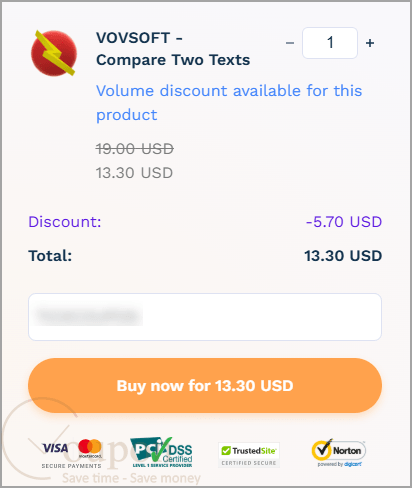
Copy and paste the coupon code during the checkout process ( or use the checkout link embedded with the coupon code)
VOVSOFT Compare Two Texts Intro and Features
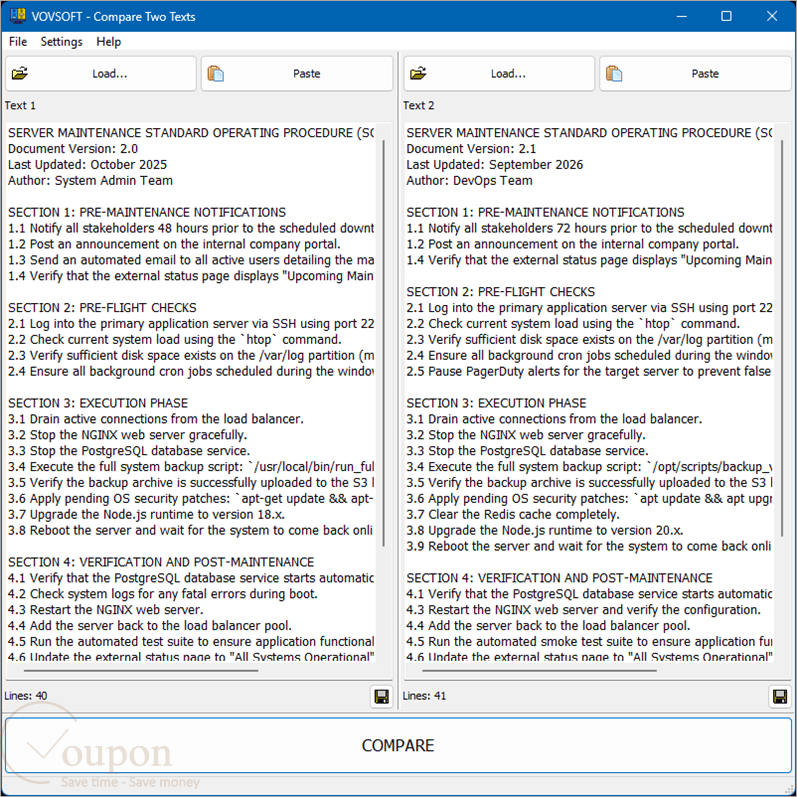
VOVSOFT Compare Two Texts is a lightweight Windows utility for finding differences between two versions of text. It displays content side by side and highlights additions, deletions, and modified lines for easier review. You can paste text or load TXT, DOC, and DOCX files, ignore whitespace or letter case, switch comparison algorithms, and quickly move between detected changes. It is useful for checking document revisions, source code, and other text-based content.
Key Features of the software:
- Side-by-Side Text Comparison: displays two texts next to each other for easy comparison.
- Automatic Difference Detection: finds changes between the two text versions automatically.
- Color-Coded Changes: clearly marks additions, deletions, and modified lines.
- Previous & Next Navigation: quickly moves between detected differences.
- Drag-and-Drop Support: lets you drop supported files directly from Windows Explorer.
- Clipboard Paste: allows text to be pasted directly into either comparison panel.
- File Loading: opens files using built-in Load buttons.
- TXT Support: compares standard plain-text files.
- Word Document Support: supports Microsoft Word DOC and DOCX files.
- Ignore Whitespace: excludes spacing differences when comparing content.
- Ignore Letter Case: treats uppercase and lowercase text as the same when needed.
- Multiple Comparison Algorithms: lets you select different algorithms depending on the comparison task.
- Difference Summary: shows totals for matches, modifications, additions, and deletions in the status bar.
- Portable Version Available: can be used without a traditional installation through the portable edition.
- Wide Windows Support: works with Windows 11, 10, 8/8.1, 7, and 64-bit Vista.
Refund & Money Back Guarantee Policy
Vovsoft offers a 30-day money-back guarantee. If you are not satisfied with the software, you can request a refund within 30 days of your purchase.
Support and Contact
- Tickcoupon Support Team: Please reach out to contact@tickcoupon.com if you can’t use the coupon code/deal/giveaway on the website.
- Vovsoft Support Team: Please send your support queries to: https://vovsoft.com/contact/
Other Special Discounts
- Education/Nonprofit Discount: This brand does not offer an education or government discount.
- Volume Discount: This brand offers discounts of up to 82% on bulk purchases, including licensing for 5, 10, 30, and 100 computers.
- Giveaways and Free Keys: Currently, there are no giveaways or free license keys available for the software.
Why Choose Tickcoupon?
- Exclusive Discounts: Get up to 98% off with verified coupon codes.
- Wide Selection: Thousands of software deals across all categories.
- Verified & Updated: Every code is tested and regularly updated.
- Trusted Brands: Partnered with top software developers worldwide.
- Easy to Use: Find, copy, and save with just a click.
- Secure Shopping: Shop confidently with trusted, verified deals and safe links.