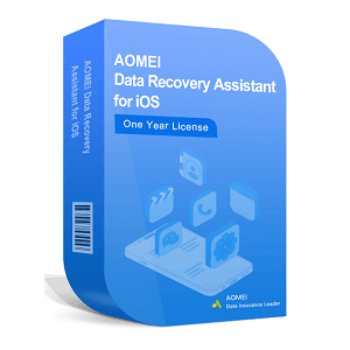
30% Off AOMEI MyRecover for iOS Coupon & Review 2026
AOMEI MyRecover for iOS is a powerful data recovery tool designed specifically for iPhone, iPad, and iPod Touch users. With its user-friendly interface and support for various recovery scenarios, AOMEI MyRecover ensures that your important iOS data is never truly gone.

AOMEI MyRecover for iOS Coupon Codes Oct 2026
Simply use this amazing AOMEI MyRecover for iOS coupon code right now to get a 30% discount. This software is designed to help users recover lost or deleted data from their iOS devices. With its user-friendly interface and advanced recovery capabilities, it is an essential tool for any iPhone user.


Table of Contents
Why choose AOMEI MyRecover for iOS?
MyRecover for iOS is an all-in-one data recovery solution designed to recover lost and deleted data from all iPhone, iPad, and iPod models without requiring a backup. It gives the ability to handle various data loss scenarios and can recover over 10 types of iPhone data, including photos, videos, contacts, call history, and WeChat history. Utilizing both deep and quick scan techniques, it efficiently scans for deleted or lost data at high speeds.

Notably, this software supports WeChat history recovery, enabling the restoration of chat conversations, images, videos, audio files, and group histories. Not to mention, users can preview scanned data and selectively recover the files they need, saving time and storage space. The recovery process is simple and can be completed in just three steps: connect and scan the device, preview and select the files, and recover the chosen data. With its user-friendly interface, MyRecover for iOS ensures a straightforward and practical data recovery experience for all users.
Key Features
- Comprehensive Data Recovery: Recover a wide range of data types, including photos, videos, contacts, messages, call history, notes, WhatsApp data, and more.
- Support for Various Scenarios: Retrieve data lost due to accidental deletion, system crashes, iOS updates, jailbreak failures, water damage, and other unexpected issues.
- High Recovery Rate: Utilize advanced scanning algorithms to ensure a high recovery rate and the ability to recover data that other tools might miss.
- Preview Before Recovery: Preview recoverable files before performing the actual recovery, allowing you to select only the data you need.
- Compatibility: Fully compatible with the latest iOS versions and a wide range of iPhone models, ensuring broad usability across different devices.
- Secure Recovery Process: Ensure that your data remains safe and secure throughout the recovery process, with no risk of data leakage or damage.
- Multiple Recovery Modes: Offer different recovery modes, including recovery from iOS devices, iTunes backups, and iCloud backups, to cater to various recovery needs.
Pricing and Plan
Pricing & subscription Options
| Plan Type | Regular Price | Discounted Price (with coupon) | Auto-Renewal | Money-Back Guarantee | Discount Codes |
|---|---|---|---|---|---|
| Lifetime License | $69.95 | $48.96 | No | 90-day | 30% off |
| Yearly Subscription | $29.95 | $20.96 | Yes | 90-day | 30% off |
Free trial and money-back guarantee policy
- Free Trial: The official MyRecover for iOS website does not explicitly mention a free trial. However, users can check the official FAQ or support pages for any updates.
- Money-Back Guarantee: 90-Day Unconditional Money-Back Guarantee: If you are not satisfied with the product, you can request a full refund within 90 days of purchase. A reason may be requested by customer service, but the refund is unconditional.
- How to Claim: Notify customer service via email or support ticket on the official website.
Auto-renewal and how to cancel
- Subscription Plans: If you purchase a yearly subscription, it will auto-renew unless you cancel it.
- How to Cancel: For AOMEI/MyRecover Subscriptions, you can cancel your subscription at any time by logging into your account on the official website or by contacting customer support. For App Store Purchases, if you bought the software through the App Store, cancel it via your iPhone or iPad settings under Subscriptions.
Discount coupon code
- Tickcoupon: Offers a 30% off coupon code for MyRecover for iOS (Lifetime Upgrades / 1 PC) and other editions, reducing the price from $69.95 to about $48.96.
Frequently Asked Questions
Which iOS devices and versions are supported?
It supports all iPhone, iPad, and iPod touch models running iOS 10 through iOS 16 and above, including the latest iPhone 13, 12, 11 series, and iPad Pro, Air, Mini models.
What types of data can I recover with this software?
You can recover photos, videos, voice memos, contacts, notes, call history, calendar, Safari bookmarks, reminders, and WeChat chat histories including images, videos, audio, and group chats.
How does the recovery process work?
Connect your iOS device to your PC, trust the computer on your device, then use MyRecover for iOS to scan the device. After scanning, preview and selectively recover the data you want to your computer.
Is there a free trial available?
There is no official free trial mentioned, but users can preview scanned data before recovery. Some giveaways or promotions may offer temporary free licenses, but these are limited and often expired.
Is there a discount coupon available?
Yes, Tickcoupon offers a 30% off coupon code for AOMEI MyRecover for iOS, reducing the lifetime license price from $69.95 to about $48.96 and yearly plans accordingly.
Can I recover data without a backup?
Yes, MyRecover for iOS can recover deleted or lost data directly from the iOS device without needing a backup.
System Requirements
| Requirement | Details |
|---|---|
| Operating System | Windows 11, 10, 8.1, 8, 7, Vista, XP (32-bit or 64-bit) |
| Processor | x86 or compatible CPU (minimum 500 MHz recommended) |
| RAM | 1 GB or more |
| Disk Space | At least 100 MB free for installation |
| Internet | Required for installation, activation, and updates |
| Languages Supported | English, Simplified Chinese, and possibly others (check official site) |
| Installation Type | Offline installer (executable setup file) |
| Supported iOS Devices | All iPhone, iPad, iPod touch models (iOS 10–iOS 16 and above) |
| Supported iOS Versions | iOS 10, 11, 12, 13, 14, 15, 16 and above |