50% Off Leawo DVD Creator Coupon & Review 2026
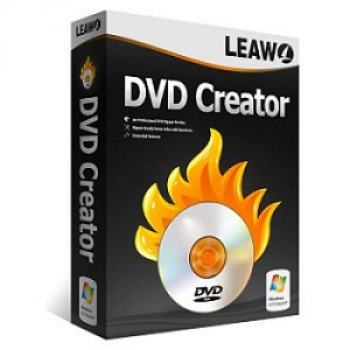
Leawo DVD Creator is a professional DVD burning tool that converts over 180 video and photo formats (like MP4, MKV, AVI, WMV, MOV, JPG, PNG) into DVDs, DVD folders, or ISO files. It offers extensive menu customization, video editing, and supports both Windows and Mac.

Leawo DVD Creator Coupon Codes
Save 50% on Leawo DVD Creator with Leawo DVD Creator coupon code. Use the code at the checkout now to enjoy your great discount on Leawo DVD Creator for Windows and Mac.
For Windows:

For Mac:

Table of Contents
What is Leawo DVD Creator?
Leawo DVD Creator allows you to create and burn DVD discs efficiently. With self-recorded videos as well as special videos on Youtube video-sharing social networks as well as other websites, Leawo DVD Creator supports and provides features to help you convert videos with popular formats such as AVI, MP4, MKV, WMV, etc, as well as burn that video to DVD easily.

In addition, not only burning videos to disc, but Leawo DVD Creator also supports you to edit videos, because of that, you can customize your DVD videos in your own style. With many DVD menus and templates available, and moreover, you can also create your own menus and templates to use. Another feature is that Leawo DVD Creator helps you convert ordinary 2D video to a more vivid 3D DVD.
Key Features
- The most suitable DVD creation software for you to burn all videos to DVD-5, DVD-9, then play on any DVD player
- The software is equipped with 2D to 3D DVD video conversion, allowing you to experience amazing video display effects using 3D glasses.
- Edit videos with various effects, such as cropping the original video to the most suitable length and size, rotating the video to the correct angle and direction, adjusting the video’s brightness, contrast, and saturation to achieve the desired effect, and adding a picture or text watermark.
- One-click DVD creation process with high quality.
Pricing and Plans
Pricing & Subscription Options
- 1 Year: Just $14.97 after using coupon code (Regularly $29.95)
- Lifetime: Just $19.97 after using coupon code (Regularly $39.95)
Free Trial & Money-Back Guarantee
- Trial version: Leawo DVD Creator offers a trial version available for download on both Windows and Mac. The trial comes with some feature restrictions, such as only processing the first 5 minutes of your videos.
- Money-back guarantee: 1-Year License: 5-day money-back guarantee; Lifetime License: 14-day money-back guarantee, both under Leawo’s refund policy.
Auto-Renewal & Cancellation
- Auto-Renewal: By default, the 1-year subscription enables auto-renewal, meaning your payment method will be charged upon expiration to automatically extend your license.
- Cancellation: For subscriptions (1-Year license), cancel auto-renewal via the payment platform.
Discount Coupon Codes
- Verified coupon codes are available, offering up to 50% off on specific plans.
- These coupon codes are time-limited and subject to change, so please check the provider’s site for the latest offers.
Frequently Asked Questions
Does Leawo DVD Creator support menu customization?
Yes, you can choose from over 40 menu templates and fully customize menu backgrounds, fonts, structure, navigation, and background music.
What kinds of DVDs and outputs can I create?
You can burn DVD-5, DVD-9, DVD-R, DVD-RW, DVD+R, DVD+RW discs, and save as ISO files or DVD folders.
Does the program edit videos before burning?
Yes, editing tools are built-in: trim, crop, adjust brightness/contrast/saturation, add watermarks, and edit subtitles or audio tracks.
Does Leawo DVD Creator support converting 2D to 3D?
Yes, you can apply six types of 2D-to-3D effects to your video before burning it to DVD.
Is there a discount or coupon code available?
Yes! You can use a coupon from Tickcoupon for 50% off: Coupon code: LEAAU***50OFF
Technical Specifications
| Specification | Windows | Mac |
|---|---|---|
| Operating System | Windows 7, 8, 8.1, 10, 11 | macOS 10.13 (High Sierra) – 15 (Sequoia) |
| Processor | 1 GHz or above Intel Processor | 1 GHz or above Intel Processor / Apple M1/M2 chip |
| RAM | 256MB (512MB or above recommended) | 512MB (1024MB or above recommended) |
| Disk Space | 512MB or more | 5GB+ (DVD) / 25GB+ (Blu-ray Disc) |
| Internet | Required for activation, registration, and updates | Required for activation, registration, and updates |
| Languages Supported | English, German, Japanese, Simplified Chinese, Traditional Chinese, Russian, Spanish, French, Portuguese, Dutch, Italian, Danish |