50% Off Mockplus DT Coupon & Review 2026
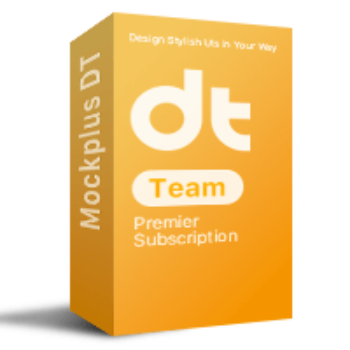
Mockplus DT is a cloud-based UI design platform for individuals and teams to design, collaborate, and handoff digital products efficiently.

Mockplus DT Coupon Code
Are you looking for a powerful design tool that streamlines your workflow from concept to developer handoff? Mockplus DT Premier is the ideal solution for both solo designers and collaborative teams. To help you access this top-tier software at a more affordable price, Tickcoupon.com is pleased to offer an exclusive 50% discount on Mockplus DT Premier.


Table of Contents
Why should you choose Mockplus DT?
Mockplus DT is a powerful and professional online UI design application perfect for designers and teams looking to create high-quality web and mobile interfaces with ease. With its strong vector editing features, you can design detailed UI elements and illustrations with precision.

Furthermore, it develops and maintains reusable design assets, including colors, styles, and components. One of its standout features is the ability to automatically adjust layouts when content changes, saving you time and making your workflow smoother. Mockplus DT Premier also integrates seamlessly with Mockplus Cloud. This helps you easily publish projects for better collaboration and even import design files from popular tools like Figma and Sketch.
Key Features
- Utilize robust vector editing capabilities to craft intricate UI elements with precision.
- Create and manage reusable design assets, including colors, styles, and components, to maintain consistency across projects.
- Automatically adjust layouts in response to content changes, eliminating the need for manual resizing and ensuring responsive designs.
- Co-edit designs with team members simultaneously, facilitating seamless communication and reducing the risk of version conflicts.
- Invite stakeholders to review designs and provide feedback directly within the platform, streamlining the approval process.
- Access auto-generated design specifications, assets, and code snippets tailored for various platforms, expediting the development phase.
- Publish projects to Mockplus Cloud to enhance collaboration and handoff processes, supporting imports from tools like Figma, Sketch, and Axure.
- Import existing design files from Sketch, Figma, and other tools to continue work without interruption.
Pricing and Subscription Plans
| Plan | Regular Price (USD) | Discounted Price (USD) | Users | Projects | Coupon Codes Available |
|---|---|---|---|---|---|
| Free | $0 | $0 | Up to 10 | 3 | N/A |
| Premier – Monthly | $8.00 | $4.00 | Unlimited | Unlimited | Yes |
| Premier – Annually | $79.00 | $39.50 | Unlimited | Unlimited | Yes |
Free Trial and Money-Back Guarantee
- Free Trial: New users receive a 15-day free trial, enabling full access to all premium features. After this, you revert to the free plan unless you subscribe.
- Money-Back Guarantee: Refunds are available only within 14 days of purchase for eligible online orders. Refunds are not provided for requests beyond this period or without a valid reason. If your order was renewed automatically without prior notice and you don’t need the product, a refund may be granted.
Auto-Renewal and Cancellation
- Auto-Renewal: All subscriptions, both monthly and yearly, are set to auto-renew by default.
- How to Cancel: You can cancel auto-renewal from your account page on the payment platform. Cancellation ensures that you continue to use premium features until the end of the current billing cycle.
Discount Coupon Codes
- Tickcoupon & Other Promotions: Tickcoupon and similar sites frequently offer coupon codes for up to 50% off, often on lifetime or annual plans.
Frequently Asked Questions
Is Mockplus DT web-based, or do I need to install software?
Mockplus DT is entirely web-based. No downloads or installations are required—log in via your browser and start designing.
Who can use Mockplus DT?
It is ideal for designers, developers, freelancers, and teams of any size looking for an efficient UI/UX workflow, with support for both personal and team projects.
What features do the free and paid plans include?
The free plan supports up to 3 projects and 10 members, while paid plans unlock unlimited projects, advanced collaboration, admin controls, and team management features.
How does billing and auto-renewal work for subscriptions?
All subscriptions (monthly or yearly) are auto-renewed by default. You will continue to access paid features until the end of the current billing period after cancellation.
How many projects and members can I have?
The free plan allows 3 projects and up to 10 members. Paid plans offer unlimited projects and members, depending on the subscription tier.
Technical Specifications
| Requirement | Details |
|---|---|
| Operating System | Windows, macOS, Linux (all modern versions supported via web browser) |
| Processor | Dual-core processor or higher (for smooth multitasking and collaboration) |
| RAM | 4 GB minimum; 8 GB or more recommended for handling large design files |
| Disk Space | No installation needed; only browser cache storage required |
| Internet | Required—stable, high-speed connection for real-time collaboration |
| Languages Supported | English (UI), with support for additional languages planned or in progress |
| Installation Type | Cloud-based; accessed directly through a web browser, no local installation |