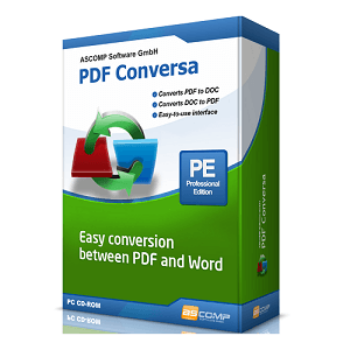
65% Off ASCOMP PDF Conversa Professional Coupon & Review
ASCOMP PDF Conversa Professional is software that enables easy and high-quality conversion between PDF and Word (DOC, DOCX, RTF) formats, while preserving layouts, graphics, tables, and fonts. It also supports batch processing, password protection, and is available for Windows users.

ASCOMP PDF Conversa Professional Coupon Code
Take advantage of the Ascomp PDF Conversa Professional – Private license coupon code right here to enjoy a 65% discount on PDF Conversa Professional. You will have to spend ONLY $6.96 instead of $19.9 at checkout instantly.


Table of Contents
What is ASCOMP PDF Conversa Professional?
Are you looking for software to convert between PDF and Word files? ASCOMP PDF Conversa Professional would be an excellent choice for you. It is a highly useful tool that allows you to convert PDF files to Word documents and vice versa, while maintaining the integrity of the content. Whether you aim to edit a PDF’s content or protect a Word document by converting it to PDF, PDF Conversa Professional simplifies and streamlines the process, making it both effortless and accessible.

What’s more, ASCOMP PDF Conversa Professional allows users to convert multiple files at once, helping to save time and effectively manage large volumes of documents. It is quite fast and is remarkably user-friendly. Even without technical expertise, you can easily navigate and utilize the software.
Key Features
- Convert your PDF documents into Microsoft Word format for editing, while preserving the layout, text, and images.
- Convert your Word documents into PDF format with a single click, ensuring your files are ready for secure sharing and distribution.
- Save time by converting multiple files at once
- Enhance the security of your PDFs by adding password protection, safeguarding sensitive information from unauthorized access.
- Convert scanned PDF documents into editable Word files by Integrated Optical Character Recognition (OCR) technology.
- High-Quality Output: Whether converting from PDF to Word or vice versa, expect high-quality results that maintain the integrity of the original document’s formatting and layout.
- User-friendly interface and easy-to-use
- Adjust your conversion settings to meet specific needs, including resolution, page size, and more.
Pricing and Subscription Plans
| Plan | Regular Price (USD) | Discounted Price (USD) | Money-Back Guarantee | Auto-Renewal | Coupon Code Available |
| Update License | $12.9 | $4.52 | 30-days | No | Yes |
| Private license | $19.9 | $6.96 | 30-days | No | Yes |
| Company license | $39.9 | $13.96 | 30-days | No | Yes |
Free Trial & Money-Back Guarantee
- Trial version: Full-featured trial available for 14 days. No functional restrictions during the trial period, except conversion is disabled after 14 days unless purchased.
- Money-back guarantee: 30-day risk-free refund policy. If you’re not satisfied or purchased by mistake, contact support for a full refund within 30 days of your purchase.
Auto-Renewal & Cancellation
- No Auto-Renewal: Not applicable to the basic license. You only pay again if you choose to extend updates/support.
- How to Cancel: Since there is no auto-renewal subscription, no cancellation process is necessary. For returns within the guaranteed period, follow instructions on the developer’s site or contact their support.
Discount Coupon Codes
- Verified coupon codes are available, offering up to 65% off on certain plans.
- These coupon codes are time-limited and may change, so check the provider’s site for the latest offers.
Frequently Asked Questions
Does the software preserve the formatting of documents during conversion?
Yes, PDF Conversa maintains the original layout, graphics, tables, and fonts, ensuring minimal post-conversion editing is needed.
Can password-protected PDF files be converted?
You can convert password-protected PDFs, provided you have the correct password. You can also create password-protected PDFs from Word documents.
Are there discounts or coupon codes available?
Yes! Promotions of up to 65% off are available via sites like Tickcoupon and partner shops. For example, use code DY1A***RJ8V on Tickcoupon to receive 65% off (limited time).
What is the license duration?
The license is perpetual (lifetime usage), with free updates and support for 24 months. Upgrade support can be purchased after that period.
Which operating systems are supported?
Windows 11, 10, 8.1, 8, 7, Vista, and XP (32/64 bit) are supported. Older and server editions may also work.
How quickly is the software delivered after purchase?
You receive a download link and license key immediately after purchase. Access to downloads and updates is maintained for 24 months via your customer account.
Technical Specifications
| Requirement | Details |
|---|---|
| Operating System | Windows 11, 10, 8.1, 8, 7, Vista, XP (32-bit & 64-bit) |
| Processor | Intel-compatible processor |
| RAM | 2 GB minimum (4 GB recommended) |
| Disk Space | 50 MB free disk space required |
| Internet | Required for initial download, license activation, updates, and customer support |
| Languages Supported | English, French, Italian, Portuguese, Russian, Spanish, Swedish, and more |
| Installation Type | Standalone offline installer; installed to local system (not web-based/SaaS) |