Jasmine
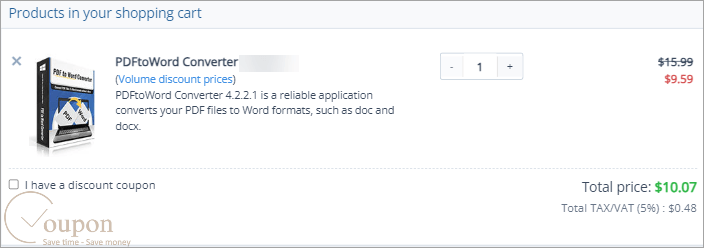
PDFtoWord Converter is a reliable application that converts your PDF files to Word formats, such as doc and docx. This powerful software supports batch processing and ensures document security. Its clean, simple interface makes conversions quick and easy, preserving original formatting and quality. Take this coupon code to enjoy 40% saving on the PDFtoWord Converter.
Price Detail:
- Original Price: $15.99
- New Price: JUST $9.59
How to Use Your Coupon Code:
- Click on the “Copy Code” button to go to navigate to the checkout page
- Enter the coupon code at checkout to apply your discount (or you will see your applied discount because we have already embedded the coupon code)
- Enter billing information and select payment options to place an order.
- Enjoy!
Benefits of order:
- Lifetime license for Windows.
- The license is used for 1 PC.
- 30-day Money Back.
- 24/7 Customer Support.
- Free Upgrade & Update.
- 100% Clean and No Virus.
- Online Help.
Terms and Conditions:
- Validity: The coupon code is valid forever
- Exclusivity: This offer applies to all customers
- Usage: Each customer can use the coupon code only once, which must be applied at the time of purchase.
- Refund Policy: Purchases made with this coupon are still eligible for PDFConverters’s standard refund policy.
Why should you choose PDFConverters PDFtoWord Converter?
PDFtoWord Converter is created to enhance productivity by enabling efficient conversion of PDF files into editable Word documents. It supports batch processing, ensuring your documents remain secure. The clean and simple interface allows for quick conversions with just a few clicks, eliminating the need for Adobe. Users can enjoy lossless conversion, preserving the original formatting and quality, and easily edit their content in Word. You can extract and transfer all content from your PDFs to Word effortlessly with the PDFtoWord Converter.

Key Features:
- Convert PDFs to Word documents with excellent accuracy, preserving text, images, tables, and layout.
- Allow for the conversion of multiple PDF files simultaneously, saving time and effort.
- Include Optical Character Recognition (OCR) to convert scanned PDFs into editable Word documents.
- Support uploading files directly from Google Drive and Dropbox for convenient processing.
- Offer fast conversion speeds without compromising quality.
In conclusion, using PDFtoWord Converter will quickly show you its extensive capabilities beyond simple PDF to Word conversion. Take advantage of the special price to get this powerful software now!