40% Off Revo Registry Cleaner Pro Coupon & Review 2026
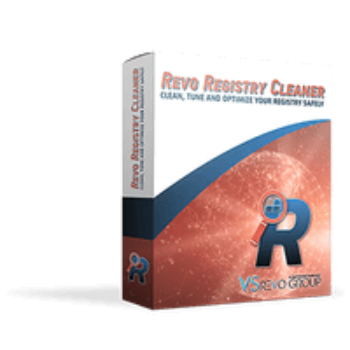
Revo Registry Cleaner Pro is a comprehensive Windows registry cleaning utility designed to remove invalid, obsolete, or unnecessary registry entries.

Revo Registry Cleaner Pro Coupon Code
Revo Registry Cleaner Pro will help you clean and optimise your Windows registry. Grab this Revo Uninstaller coupon code and save 40% on Revo Registry Cleaner Pro. Hurry up!

Table of Contents
What is Revo Registry Cleaner?
Revo Registry Cleaner is a comprehensive and professional registry cleaner software designed to safely clean, tune, and optimize your Windows Registry. The software uses over 15 scanning categories to detect and eliminate invalid and unnecessary registry items. You can also customize the cleaning process with options to include or exclude specific keys and choose from four different scan depth modes. Other than registry cleaning, the software offers real-time monitoring of specified registry keys and values. Not to mention, Revo Registry Cleaner allows users to make personalized backups of specific keys, full registry backups, and automated scheduled backups.

Key Features
- Multi-mode registry cleaning (Quick, Safe, Moderate, Advanced, Custom)
- Automatic registry backup and easy restore points before changes
- Registry Tuner with 50+ Windows tweaks for optimization
- Registry Watcher for real-time monitoring and logging of registry changes
- Comprehensive Backup Center with full and incremental backup options
- Customizable scan categories with granular include/exclude controls
- Scheduled automatic cleaning and backup routines
- User-friendly interface with Dark Mode support
- Portable version supports use across unlimited PCs via USB (no installation)
- Multilingual interface with automated system language detection
Pricing and Subscription Plans
| Plan Type | Regular Price | Discounted Price (With code) | Coupon Codes Available | Term / Update Subscription |
|---|---|---|---|---|
| Standard – 1 Year | $14.99 | $10.50 | Yes | 1 year updates (perpetual license) |
| Standard – 2 Years | $19.99 | $11.99 | Yes | 2 years updates (perpetual license) |
| Portable – 1 Year | $16.99 | $11.90 | Yes | 1 year updates (perpetual license) |
| Portable – 2 Years | $21.99 | $15.39 | Yes | 2 years updates (perpetual license) |
Free Trial & Money-Back Guarantee
- Free trial: A 30-day free trial is available with full access to all features.
- Return/Refund Policy: 60-Day Money-Back Guarantee – Full refunds are accepted for any reason within 60 days of purchase.
Auto-Renewal and How to Cancel
- Subscription is not auto-renewing. The license grants access to updates for the period purchased; after expiration, you need to purchase a renewal or new license manually.
- Cancellation/Deactivation:
- To use your license on a different machine, deactivate the license via the software menu (“Deactivate License”).
- If you face issues with deactivation, you can contact support for assistance.
Coupon Codes & Discounts
- 40% off via coupon codes is available from sources such as Tickcoupon and similar sites.
Frequently Asked Questions
How do I use Revo Registry Cleaner Pro to clean my registry?
You can use the Quick Clean function for a fast automated scan, or choose Safe, Moderate, or Advanced scan modes to manually review and delete registry items. All potentially removable items will be shown for your verification before deletion. The Custom Scan lets you select specific registry categories for a targeted clean.
Is it safe to clean my registry with this software?
Yes. The software applies advanced algorithms that specifically exclude critical system keys to prevent accidental damage. Additionally, each cleaning creates automatic backups in the Backup Center for easy recovery.
What platforms or versions of Windows are supported?
Revo Registry Cleaner Pro supports Windows 7, 8, 10, and 11, including both 32-bit and 64-bit editions.
What is the Registry Tuner feature?
The Registry Tuner lets you apply over 50 customizable tweaks to optimize system performance and adjust Windows features to suit your needs.
What are the different scan modes available?
Revo Registry Cleaner Pro provides at least four scan modes—Quick, Safe, Moderate, Advanced—plus Custom Scan. Each mode offers increasing depth and control over the cleaning process.
Can the program schedule automatic cleaning?
Yes, the Auto Clean feature allows you to set up regular cleaning tasks on schedules you define, including scan categories and cleaning frequency.
Technical Specifications
| Requirement | Details |
|---|---|
| Operating System | Windows 7, 8, 8.1, 10, 11 (32-bit and 64-bit) |
| Processor | 1 GHz Pentium-compatible CPU minimum (2.4 GHz or higher recommended) |
| RAM | 512 MB RAM minimum (2 GB or more recommended) |
| Disk Space | 200 MB free hard disk space |
| Internet | Required for product activation, updates, and support |
| Languages Supported | Multilingual interface—installer attempts to match system language; defaults to English if unavailable |
| Installation Type | Standard installable version and Portable version (runs from USB, no installation required) |