68% Off 4DDiG Partition Manager Coupon & Review 2026
4DDiG Partition Manager is a Windows disk management tool that helps users create, resize, split, merge, delete, and format partitions. It also offers advanced features like OS migration, disk cloning, and partition recovery in a user-friendly interface.

4DDiG Partition Manager Coupon Code
You’ll have a golden chance to get a 68% discount on Tenorshare 4DDiG Partition Manager when you use this amazing Tenorshare 4DDiG Partition Manager coupon code at checkout. Don’t miss your chance!

Table of Contents
What is 4DDiG Partition Manager?
4DDiG Partition Manager by Tenorshare is an all-in-one disk management solution designed to simplify complex partition tasks while delivering advanced functionality for both casual users and IT professionals. Whether you’re upgrading to a new SSD, restructuring your storage, or recovering lost partitions, 4DDiG offers a reliable, user-friendly toolkit to get the job done quickly and safely.
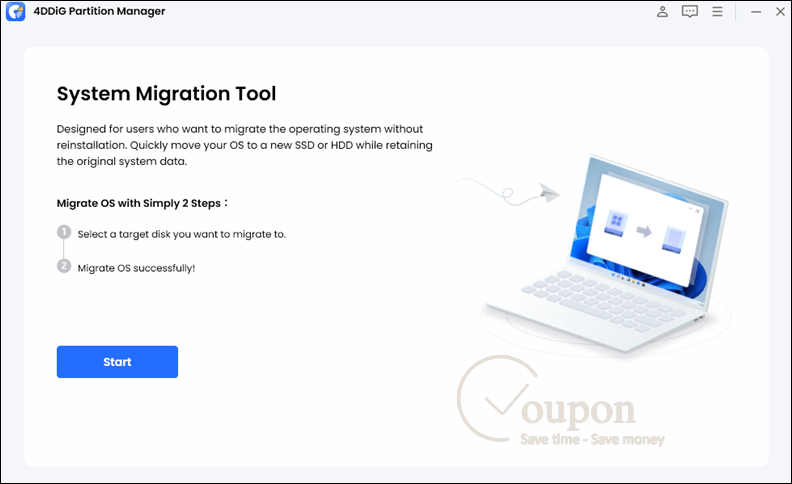
With this powerful utility, users can effortlessly create, resize, move, merge, split, delete, and format partitions, all through a clean and intuitive interface. It also supports seamless OS migration to SSD or HDD without reinstallation, perfect for hardware upgrades. Additionally, its one-click MBR to GPT conversion ensures compatibility with modern systems like Windows 11.
Key Features
- Create, resize, move, merge, split, delete, and format partitions
- Migrate Windows OS to SSD or HDD without reinstallation
- Clone entire disks or individual partitions
- Convert between MBR and GPT partition styles
- Recover deleted, lost, or RAW partitions
- Clone and repair non-bootable disks
- Support for NTFS, FAT32, exFAT, and other Windows file systems
- User-friendly interface suitable for all experience levels
- Real-time preview of partition changes before applying
- Compatible with Windows 11/10/8.1/8/7
- Multilingual support and ongoing software updates.
Pricing and Plans
Pricing & subscription Options
| Plan | Price (USD) | Notes |
|---|---|---|
| 1-Month Personal License | $37.95 | For 1 PC; all features included |
| 1-Year Personal License | $89.95 | For 1 PC; includes free upgrades |
| Lifetime Personal License | For 1 PC, all features included | One-time fee for 1 PC; lifetime free upgrades |
Free Trial & Money-Back Guarantee
- Free Trial: A 7-day free trial is available, enabling full access to all features so users can evaluate the product before purchase.
- Money-Back Guarantee: All purchases come with a 30-day money-back guarantee if the software does not resolve your issue.
Auto-Renewal & Cancellation
- Auto-Renewal: Subscriptions are automatically renewed by default.
- How to Cancel: You may cancel auto-renewal at any time through your account on the payment platform (e.g., Google Play, Apple Store). Alternatively, you can follow the official cancellation guide on the developer’s website.
Discount Coupon Codes
- Tickcoupon often provides discount coupon codes for up to 68% off on 4DDiG Partition Manager. Example: Use the current coupon code A***DTE at checkout for up to 68% off.
Frequently Asked Questions
Which operating systems does it support?
The software supports Windows 11, 10, 8.1, 8, and 7.
Can I recover lost or deleted partitions?
Yes, the software can recover deleted, lost, or RAW partitions, and repair and clone disks even from non-bootable computers.
What file systems are supported?
4DDiG supports NTFS, FAT32, exFAT, and other common Windows-compatible file systems.
Is my license valid for both Windows and Mac?
No, licenses are platform-specific. A Windows license cannot be used for the Mac version and vice versa.
What should I do if I cannot open recovered files?
Try the Deep Scan feature in the software. If the file’s directory structure is corrupted, Deep Scan may help restore the data.
Does 4DDiG Partition Manager have a free trial?
Yes, a free trial allows users to explore the tool’s features before purchasing a license.
What is the current best discount and coupon code?
You can get up to 68% off using a Tickcoupon promo code. The current code is A***DTE, valid for a limited time.