86% Off WonderFox Video Watermark Coupon & Review 2026
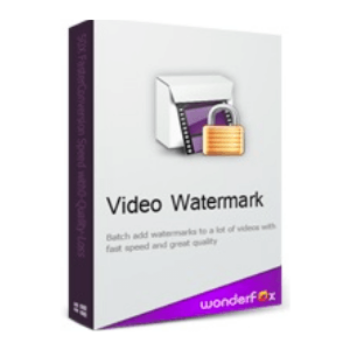
WonderFox Video Watermark is designed to help you add text, logos, images, or even dynamic effects as watermarks to your videos, so your content always stands out and stays truly yours.

WonderFox Video Watermark Coupon Codes Sep 2026
Why pay full price when you can save big with our WonderFox Video Watermark coupon code? Use it at checkout and receive 86% off WonderFox Video Watermark. It’s the best deal you’ll find anywhere!

Table of Contents
What is WonderFox Video Watermark?
Image copyright stamp is a necessary job to protect your photos against piracy, and adding a watermark to the video is also extremely important. That’s why today you will be introduced to WonderFox Video Watermark software – a tool to help you add watermarks to videos. WonderFox Video Watermark allows you to insert logos anywhere in your videos and clips. The inserted logo can be a PNG image or a text line recorded and inserted directly into your video.

It supports batch logo insertion mode for your videos. This will save you time on copyrighting your videos. Not only does it have a fast extraction speed, but batch stamping is also one of the outstanding advantages of WonderFox Video Watermark. It also supports converting popular video formats to one another, allowing you to play your video on various devices after conversion. A remarkable feature of WonderFox Video Watermark is that the program supports you in creating animations that can appear at any time, depending on your settings.
Key Features
- Add text, image, logo, or animated watermarks with just a few clicks.
- Apply fade-in/out, scroll, rotate, or move effects to your watermarks over time.
- Add watermarks to multiple videos at once to save time and effort.
- Works with popular formats like MP4, AVI, MKV, WMV, MOV, FLV, and more.
- Freely drag and place watermarks anywhere on the video.
- Instantly see how your watermark looks before exporting.
- Adjust brightness, contrast, color, and add effects like blur or old film.
- Save your custom watermarks for future use.
- Process videos quickly while keeping original quality.
- Clean layout and simple tools make it easy for anyone to use.
Pricing and Plans
Pricing & Subscription
- Video Watermark – Lifetime/1 PC: $9.98 (Regular Price: $69.95)
- Video Watermark Pro – Lifetime/1 PC: $9.95 (Regular Price: $69.95)
- Video Watermark + Photo Watermark: $39.95 (Regular Price: $99.95)
- Video Watermark + DVD Video Converter: $39.96 (Regular Price: $104.90)
Free Trial and Money-Back Guarantee Policy
- Money-Back Guarantee: 30-day full money-back guarantee for purchased licenses.
- Free Trial: The trial has no time limit, but will add a “DEMO” watermark or other words to output files.
Auto-Renewal and Cancellation
- Auto-Renewal: WonderFox Video Watermark is a one-time purchase with a lifetime license—no auto-renewal or subscription needed.
- Cancellation: No cancellation is needed since there’s no auto-renewal. For refunds within 30 days under eligible conditions, contact WonderFox support.
Discount Coupon Codes
- Tickcoupon and several other coupon sites offer verified coupon codes for WonderFox Video Watermark, with discounts up to 86% off.
- These coupon codes are time-limited and subject to change, so please check the provider’s site for the latest offers.
Frequently Asked Questions
What is WonderFox Video Watermark?
WonderFox Video Watermark is a software tool designed to add text, image, logo, or shape watermarks to your videos, protecting your copyright and brand identity
Which operating systems does WonderFox Video Watermark support?
It supports Windows NT4, 2000, 2003, XP, Vista, 7, 8, 8.1, 10, and 11
Can I add multiple types of watermarks to a video?
Yes, you can add text, image, logo, and geometric shape watermarks, including animated watermarks, to your videos
Is there a free trial available?
Yes, a free trial version is available, but it will add a “DEMO” watermark or similar marking to output videos.
Is there a money-back guarantee?
Yes, WonderFox offers a 30-day money-back guarantee if the software does not work as advertised or cannot be fixed within a reasonable time
What video formats are supported?
The software supports a wide range of formats, including AVI, MPG, MP4, WMV, MKV, MOV, RM, 3GP, FLV, SWF, VCD, DVD, and HD video formats
Technical Specifications
| Requirement | Details |
|---|---|
| Operating System | Windows NT4, 2000, 2003, XP, Vista, 7, 8, 8.1, 10, 11 |
| Processor | Intel or AMD CPU, 1 GHz or faster |
| RAM | Minimum 512 MB |
| Disk Space | 50 MB or more (some sources recommend 150 MB) |
| Internet | Required for license activation |
| Languages Supported | English (additional languages not specified by the developer) |
| Installation Type | Standalone desktop application (Windows 32-bit and 64-bit supported) |