

 Jasmine
Streaming is convenient until you lose your internet connection. A long flight, a hotel with unreliable Wi-Fi, or a weekend trip with limited mobile coverage can quickly interrupt your favorite movies and TV shows. While some streaming services offer offline downloads, those files generally remain inside their own apps.
Keeprix Video Downloader takes a different approach. It saves supported streaming videos directly to your computer as MP4 or MKV files, giving you more flexibility over where and how you watch them. With the release of version 1.6.0, Keeprix has also expanded its support for 4K HDR video, surround sound, and multiple audio and subtitle options. But how useful is Keeprix, and what should you know before buying a license?
Table of Contents
What Is Keeprix Video Downloader?
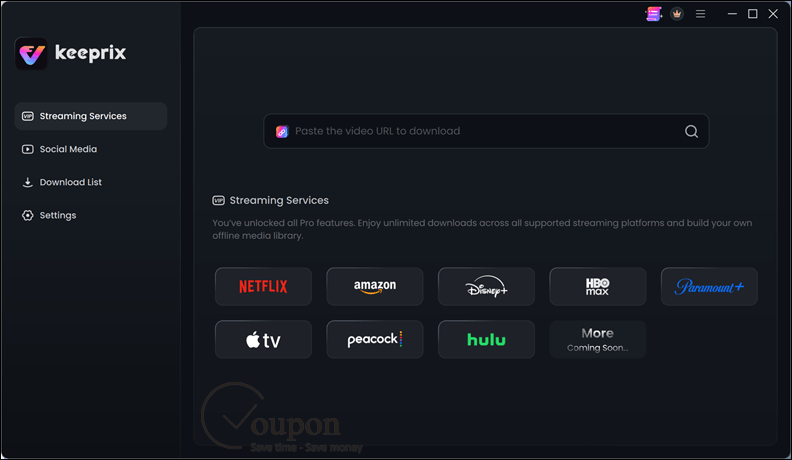
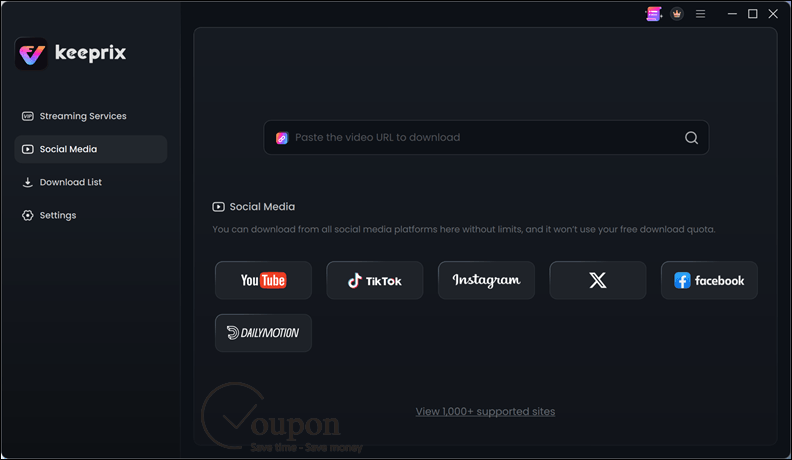
Keeprix Video Downloader is an all-in-one video downloading application for Windows and macOS. It supports major streaming services, including Netflix, Amazon Prime Video, Disney+, Apple TV+, Max, Hulu, Paramount+, and Peacock. Beyond movies and television, Keeprix can also download videos from YouTube, TikTok, Facebook, Instagram, X (Twitter), Dailymotion, and more than 1,000 supported websites.
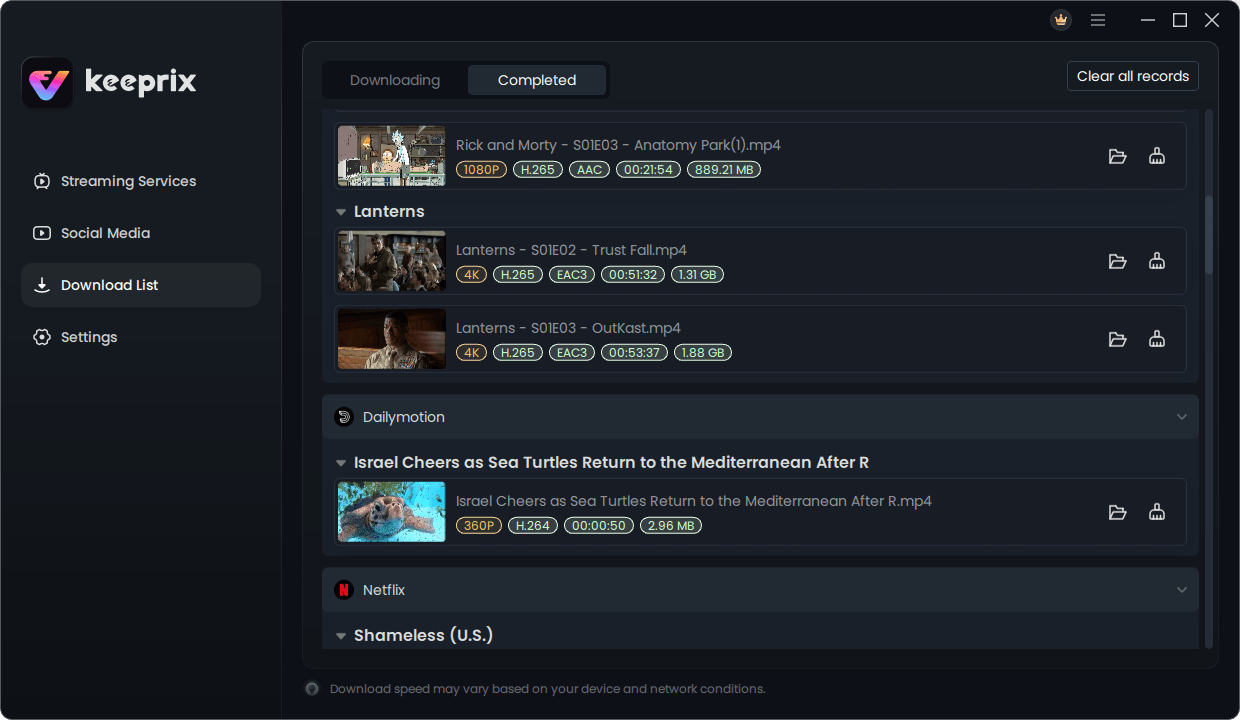
Unlike a screen recorder, Keeprix downloads supported video streams rather than capturing playback on your screen. You can store the resulting files locally, organize them into folders, and open them with compatible media players. The software is designed for personal, non-commercial use. You still need a valid account or subscription for streaming services that require one.
Key Features of Keeprix Video Downloader
1. Download Movies and TV Shows for Offline Viewing
The main reason to use Keeprix is simple: you want to watch supported videos without relying on an internet connection. Keeprix saves downloaded content as MP4 or MKV files. Once a download is complete, you can play the file locally without opening the original streaming service. This is particularly useful for frequent travelers, commuters, and anyone who wants to keep a personal collection of supported videos on their computer.
2. Up to 4K HDR Video Quality
Video quality is one of Keeprix’s strongest selling points, especially after its October 2026 update. On compatible content, Keeprix supports downloads up to 4K UHD with HDR10 or Dolby Vision from selected streaming services, including:
- Disney+
- Apple TV+
- Max (HBO Max)
- Hulu (US)
- Paramount+ (US)
Netflix, Amazon Prime Video, and Peacock support downloads up to 1080p according to Keeprix’s published specifications. Supported YouTube videos can reach up to 8K. One important limitation: 4K and HDR aren’t available for every movie or platform. The actual options depend on the source, title, region, and available video formats. For viewers who care about picture quality, Keeprix’s ability to display resolution, codec, and bitrate information before downloading is especially helpful.
3. Dolby Atmos, Surround Sound, and Multiple Languages
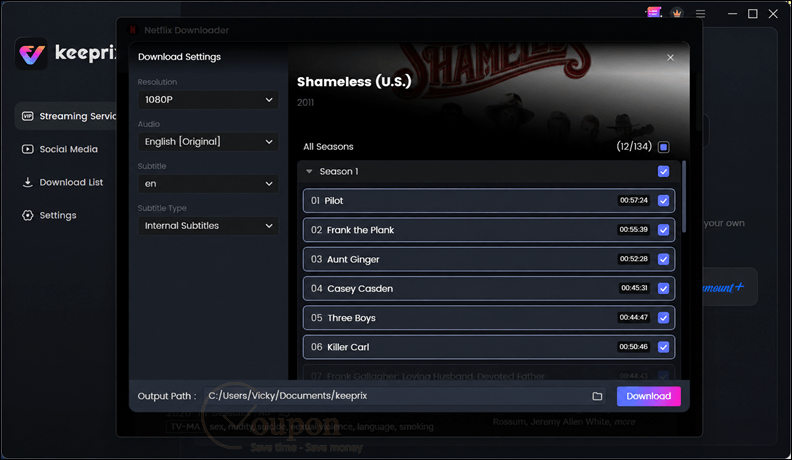
Keeprix isn’t limited to basic stereo audio. Compatible titles can include Dolby Atmos or 5.1 surround sound, particularly on supported content from Apple TV+, Disney+, and Max. You can choose from available audio formats such as AAC, AC-3, and E-AC-3. The software also lets you select different audio languages, subtitles, and Audio Description tracks when the source offers them. These options are useful for home-theater setups and multilingual households. They also make it easier to save videos with the soundtrack and subtitles you actually want.
4. Batch Download Entire TV Seasons
Downloading a long series episode by episode gets tedious. Keeprix supports batch downloading for paid users. Instead of repeatedly selecting individual episodes, you can queue multiple episodes, an entire season, or several seasons. Keeprix then manages the download queue, reducing the manual work. This feature is particularly appealing if you regularly prepare several hours of entertainment before traveling.
5. Support for 1,000+ Video Websites
Keeprix combines streaming-service downloads and regular online video downloading in one application. Alongside subscription services, it supports popular video-sharing and social platforms such as YouTube, TikTok, Facebook, Instagram, X, and Dailymotion. Instead of installing a separate downloader for each supported website, you can manage compatible downloads from the same interface. For users who download videos from several sources, this is more convenient than switching between tools.
What’s New in Keeprix 1.6.0?
Released on October 15, 2026, Keeprix 1.6.0 focuses on improving the quality and flexibility of streaming downloads. The three notable changes are:
- Expanded 4K HDR support: up to 4K UHD with HDR10 or Dolby Vision on compatible titles from selected platforms.
- Improved audio options: support for available Dolby Atmos, 5.1 surround sound, and additional audio codec choices.
- More detailed download information: preview available resolutions, HDR formats, codecs, bitrates, audio tracks, subtitle languages, and Audio Description options before downloading.
The most practical improvement is the additional information shown before a download starts. Instead of guessing which version you’ll receive, you can review the available formats and choose the ones that suit your display, speakers, and storage needs.
How to Use Keeprix Video Downloader
Keeprix keeps the download process straightforward.
- Step 1: Install Keeprix: Download the Windows or Mac installer from the official Keeprix website and launch the application.
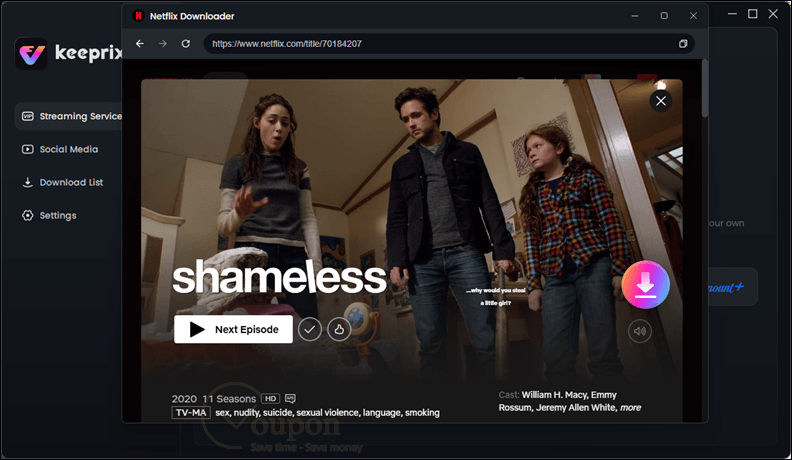
- Step 2: Find Your Video: Open a supported streaming platform using Keeprix’s built-in browser. Sign in with your own account if necessary, or paste a compatible video URL.
- Step 3: Choose Download Settings: Select the movie, episode, or season you want to save. Review the available resolution, MP4/MKV format, audio tracks, and subtitles.
- Step 4: Start Downloading: Begin the download and let Keeprix save the file to your computer. Once finished, open it using a compatible media player.
You need an internet connection to download videos and complete any required sign-in or activation steps. Local playback of compatible downloaded files doesn’t require an active connection.
Keeprix Free vs. Paid: What’s the Difference?
One welcome aspect of Keeprix is that you can try its main functionality before purchasing a license. According to the developer’s product information, downloads from supported social video platforms, including YouTube, TikTok, Facebook, Instagram, and X, are free without quantity limits.
For subscription streaming services, the free trial allows one full-length download from each supported platform. These trial downloads don’t have trial-imposed duration limits or watermarks. Upgrading to a paid license removes the streaming trial download quota and unlocks batch downloading for episodes and seasons.
Keeprix License Options
| Plan | License Coverage | Validity |
|---|---|---|
| Monthly | 1 computer | 1 month |
| 1-Year | 1 computer | 1 year |
| Lifetime | 2 computers | Lifetime |
All paid plans include the same full-version downloading capabilities during their validity period. The standard Lifetime plan also includes lifetime updates. The free version is a sensible place to start, especially if you want to check whether Keeprix supports the particular streaming platforms and titles you use.
Save on Keeprix Video Downloader with a Coupon Code
Want unlimited streaming downloads and batch downloading? Upgrade to Keeprix at a discounted price with an exclusive Tickcoupon coupon.
- Discount: Up to 84% Off
- Coupon Code: CLICK HERE TO GET
Keeprix Video Downloader: Pros and Cons
Is Keeprix Video Downloader Worth It?
Keeprix makes the most sense for people who regularly download movies, TV episodes, or online videos for personal offline viewing. Its biggest advantage is the combination of supported streaming services, local MP4/MKV output, and batch downloading. The newer 4K HDR and surround-sound options are valuable additions, particularly if you watch videos on a high-quality display or home-theater system.
However, Keeprix isn’t a replacement for streaming subscriptions, and its highest-quality download options vary by platform and title. If you mainly watch videos online and rarely need offline copies, the paid version may offer limited additional value. For frequent travelers, series fans, and users who want more control over their personal offline video collection, Keeprix is worth trying.
Frequently Asked Questions
Is Keeprix Video Downloader free?
Keeprix offers free downloads from supported social video platforms and one full-length trial download from each supported subscription streaming service. Paid plans remove the streaming download quota and enable batch downloading.
Can Keeprix download Netflix and Disney+ videos?
According to its supported-platform information, Keeprix can download compatible content from Netflix, Disney+, and several other streaming services. A valid account or subscription is required where applicable.
Does Keeprix support 4K downloads?
Yes. Keeprix supports up to 4K UHD with HDR10 or Dolby Vision on selected platforms and compatible content. Not all services or titles offer these options.
Can Keeprix download an entire TV season?
Yes. Paid licenses support batch downloading for multiple episodes and complete seasons.
Is Keeprix available for Mac?
Yes. Keeprix supports Windows 10 or later and macOS 12 or later.
Final Verdict
Keeprix Video Downloader offers a practical way to save supported streaming videos and manage them as local files. Its broad platform coverage, batch downloads, and expanded 4K HDR and audio capabilities make it appealing to people who watch a lot of content offline. The main limitations are platform-dependent video quality, subscription requirements, and streaming download restrictions in the free version.
Our recommendation: Try the free version with your preferred streaming service before purchasing. It’s the best way to check available formats, download compatibility, and whether Keeprix meets your needs.
Editor’s note: This review is based on Keeprix’s supplied product information for version 1.6.0, rather than independent hands-on testing. Features and download availability may vary by platform, region, and title. Use the software only with content you’re authorized to access and in accordance with applicable laws and service terms.
