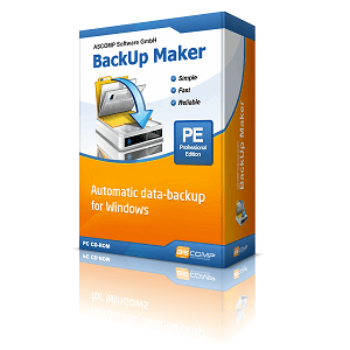
65% Off ASCOMP Backup Maker Professional Coupon & Review
ASCOMP Backup Maker Professional is a Windows-based backup software that automates the process of backing up files and folders. It supports advanced scheduling, strong encryption, multiple backup destinations (including local, network, and cloud), and flexible restoration.

ASCOMP Backup Maker Professional Coupon Code
By using the great BackUp Maker Professional coupon code for a Private license at checkout, you can enjoy a 65% discount for the Ascomp Backup Maker – Private license. Go to the link and get the big chance now!


Table of Contents
What is Ascomp Backup Maker Professional?
Data loss can occur due to various factors, including computer crashes, malware infections, and user errors. Do you want your essential data always to be safe? ASCOMP Backup Maker Professional is a reliable data backup software for Windows users. It provides numerous solutions that enable users to set up automation for scheduled backups and allows them to select their preferred destination. It only takes a short time to transfer your essential documents to a zip format on your hard drive, USB stick, or in the cloud. All you need to do is select the data you want to secure, set up automation if desired, and choose a destination. Your documents will be backed up reliably, on a schedule or based on specific events.
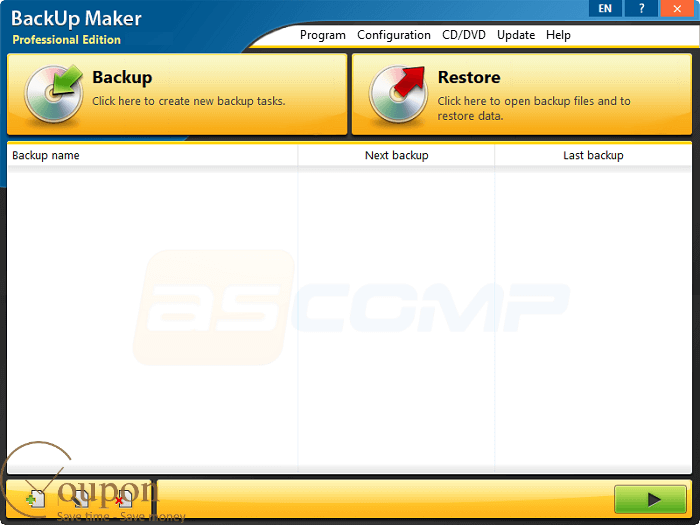
Additionally, ASCMP Backup Maker Professional protects your backups with strong encryption up to 256-bit (AES) and reduces their size with compression. It can help you save time and space by backing up only the changes made since the last backup.
Key Features
- Set up convenient backup timings according to your needs
- Save backups on external drives, network locations, or cloud services
- Protect your backups with strong encryption and reduce their size with compression
- Adjust backup processes to suit specific file types, sizes, and directories
- Offer robust encryption options of up to 256-bit AES, ensuring that sensitive information remains protected from unauthorized access
- Support a wide range of backup types, including full, partial, and incremental backups, catering to diverse data backup requirements and preferences
- Support for SFTP or FTP/FTPS protocols
- User-friendly interface and simple to use.
Pricing and Subscription Plans
| Plan | Regular Price (USD) | Discounted Price (USD) | Money-Back Guarantee | Auto-Renewal | Coupon Code Available |
| Update License | $19.9 | $6.96 | 14-days | No | Yes |
| Private license | $39.9 | $13.96 | 14-days | No | Yes |
| Company license | $69.9 | $24.47 | 14-days | No | Yes |
Free Trial & Money-Back Guarantee
- Free Standard Edition: Available for private, non-commercial use. This edition includes all major core features, but occasionally displays ads/watermarks and has some minor restrictions.
- Professional Edition Trial: No formal time-limited free trial, but frequent official and third-party giveaways offer fully functional trial periods or promotional licenses.
- Money-back guarantee: Purchases are covered by a 14-day money-back guarantee (return policy stated on the shop pages).
Auto-Renewal & Cancellation
- No Auto-Renewal: There is no auto-renewal—licenses are one-time payments. Update Licenses are optional.
- Cancellation: Since it is a one-time purchase (not recurring), auto-renewal and cancellation are not applicable.
Discount Coupon Codes
- Verified coupon codes are available, offering up to 65% off on certain plans.
- These coupon codes are time-limited and may change, so check the provider’s site for the latest offers.
Frequently Asked Questions
Does ASCOMP Backup Maker support cloud backups?
Yes, the software can automatically back up to popular cloud services (e.g., Google Drive, OneDrive, Dropbox) as long as the cloud drive is available as a folder in Windows Explorer.
Is my data safe with ASCOMP Backup Maker Professional?
Yes. The software offers up to 256-bit AES encryption for backups, ensuring strong data protection—both for local storage and during FTP/SFTP transfers.
Can I automate my backup jobs?
Absolutely! Backups can be scheduled by time, at specific intervals, or triggered by system events such as the insertion of a USB drive. You can also automate pre- and post-backup actions.
Can I run backups for locked or open files?
Yes. The program integrates with the Windows Volume Shadow Service (VSS) to back up files even when they are in use.
How do I restore my data?
Use the built-in restore wizard or manually extract files from the ZIP backup archives. Restorations can be partial or full, depending on your needs.
Technical Specifications
| Requirement | Details |
|---|---|
| Operating System | Windows 11 (32/64-bit), Windows 10 (32/64-bit), Windows 8.1/8 (32/64-bit), Windows 7 (32/64-bit), Windows Vista (32/64-bit), Windows XP (32/64-bit), Windows Server 2003/2008/2012/2016/2019 (32/64-bit) |
| Processor | 1 GHz or higher (recommended: modern multi-core CPU) |
| RAM | 1 GB (minimum), 2 GB (recommended) |
| Disk Space | 100 MB free space for installation (additional space required for backups) |
| Internet | Required for updates, cloud/FTP/WebDAV/SFTP backup destinations, or license activation; not required for local/offline backups |
| Languages Supported | 20+ UI languages: English, Spanish, German, Italian, French, Dutch, Portuguese, Turkish, Korean, Greek, and others |
| Installation Type | Standalone desktop application (MSI installer, no additional dependencies required) |