65% Off ASCOMP Image Former Professional Coupon & Review
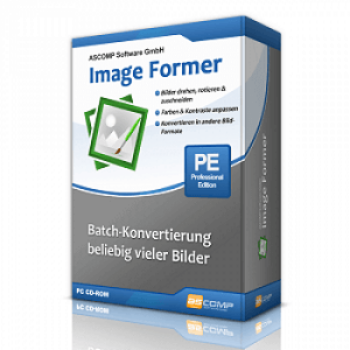
ASCOMP Image Former Professional is a Windows-based software tool for batch-editing, converting, and optimizing images. It allows users to process multiple images at once, including actions like resize, rotate, crop, color correction, and file format conversion (JPEG, PNG, BMP, GIF, PDF, PSD).

ASCOMP Image Former Professional Coupon Code
Save more and more with the amazing Ascomp Image Former Professional coupon code today, we can help you buy and save 65% on the Ascomp Image Former Professional – Private license. Hurry up! Don’t miss out!


Table of Contents
What is ASCOMP Image Former Professional?
ASCOMP Image Former Professional is a smart and compact editing and converting image software for the Windows operating system. It provides users with a comprehensive toolkit for image conversion, featuring capabilities like cropping, resizing, rotating, flipping, and color adjustment, allowing you to achieve your desired results. Another fantastic feature lets you customize the workspace to fit your demands and workflow. With this feature, you can organize panels, customize toolbars, and establish keyboard shortcuts for efficient editing tailored to your needs.

Key Features
- Edit and convert multiple images simultaneously
- Adjust the size of images for various uses
- Convert images into different formats for compatibility
- Adjust the orientation or crop images to focus on desired areas
- Enhance or change colors and apply filters to images
- Add watermarks to images for copyright protection
Pricing and Subscription Plans
| Plan | Regular Price (USD) | Discounted Price (USD) | Money-Back Guarantee | Auto-Renewal | Coupon Code Available |
| Update License | $12.9 | $4.52 | 30-days | No | Yes |
| Private license | $19.9 | $6.96 | 30-days | No | Yes |
| Company license | $39.9 | $13.96 | 30-days | No | Yes |
Free Trial & Money-Back Guarantee
- Trial version: A fully functional trial version is available for 14 days with no limitations. After the trial period, the software ceases conversions but remains installed for purchase activation.
- Money-back guarantee: Purchases are covered by a 30-day money-back guarantee, allowing risk-free evaluation of the full version.
Auto-Renewal & Cancellation
- No Auto-Renewal: There is no auto-renewal—licenses are one-time payments. Update Licenses are optional.
- How to Cancel: Since there is no auto-renewal subscription, no cancellation process is necessary. For returns within the guaranteed period, follow instructions on the developer’s site or contact their support.
Discount Coupon Codes
- Verified coupon codes are available, offering up to 65% off on certain plans.
- These coupon codes are time-limited and may change, so check the provider’s site for the latest offers.
Frequently Asked Questions
Which operating systems are supported?
The software is compatible with Windows 7, 8, 10, 11, and Windows Server editions.
Does it support batch processing?
Yes, you can select any number of images, define your desired actions, and have all changes applied simultaneously—ideal for handling large photo collections efficiently.
Which image formats are supported for input and output?
Image Former Professional supports popular formats including JPEG, PNG, BMP, GIF, PDF, and PSD for both input and output.
How can I use a 65% off coupon from Tickcoupon?
Visit Tickcoupon’s ASCOMP Software page, copy the displayed coupon code (such as UMA75-GZPD-DJ***LT7 or similar), and enter it during the checkout process on the ASCOMP order page to receive the discount.
How do clipboard monitoring and batch import work?
Once clipboard monitoring is activated, any image you copy to the Windows clipboard is automatically imported into the program for batch processing, streamlining workflow for frequent image edits.
Technical Specifications
| Requirement | Details |
|---|---|
| Operating System | Windows 7, 8, 8.1, 10, 11 (32-bit & 64-bit); Windows Server 2012/2016/2019 |
| Processor | Intel-compatible, 1 GHz minimum (2 GHz or faster recommended) |
| RAM | 2 GB minimum (4 GB or more recommended, especially for large batches) |
| Disk Space | 50 MB free for installation (some distributors note up to 100–500 MB for best operation) |
| Internet | Not required for normal use; needed for license activation and updating (optional) |
| Languages Supported | English, German, French, Italian, Turkish, Korean, Greek, Russian, Spanish, Swedish, Japanese, Chinese, and more |
| Installation Type | Standalone/offline installer; instant download after purchase |