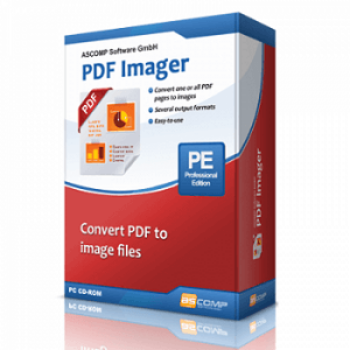
65% Off ASCOMP PDF Imager Professional Coupon Code & Review
ASCOMP PDF Imager Professional is software designed for converting PDF pages to various image formats (like BMP, JPEG, PNG, EPS, GIF, TIFF) and vice versa. It provides batch processing and a simple interface suitable for both home and office users.

ASCOMP PDF Imager Professional Coupon Code
Use this incredible ASCOMP PDF Imager Professional coupon code to receive up to 65% savings on ASCOMP PDF Imager Professional. You shouldn’t miss out!


Table of Contents
What is ASCOMP PDF Imager Professional?
ASCOMP PDF Imager Professional is multi-feature and safe PDF-converting software. It is developed to help users easy conversion between PDF documents and images. This tool lets users convert one or all pages of a PDF file into popular image formats like BMP, JPEG, PNG, EPS, GIF, and TIFF. In addition, you can use it to create PDF documents from multiple image files, simplifying the process without the need for expensive PDF editing software. Using PDF Imager, you can quickly convert PDF files without sacrificing quality output, as it supports simultaneous processing of multiple conversions. One bright spot of this software is that it supports multiple languages to meet many different needs of users, such as English, German, Spanish, Italian, Turkish, Korean, Russian, and Arabic. This software works smoothly on all versions of Windows OS.

Key Features
- Convert PDF pages to various image formats and vice versa.
- Support a wide range of image and PDF file types, including BMP, JPEG, PNG, GIF, TIFF, and EPS
- Convert multiple simultaneously, streamlining workflow and saving time
- Add files to the software using a drag-and-drop mechanism
- Customize the output resolution for images, optimizing for quality or file size.
- Maintain the original layout, fonts, and formatting of PDF pages when converting to images
- Support for multiple languages in the interface
- Simple, user-friendly interface for quick conversions.
Pricing and Subscription Plans
| Plan | Regular Price (USD) | Discounted Price (USD) | Money-Back Guarantee | Auto-Renewal | Coupon Code Available |
| Update License | $8.90 | $3.12 | 14-days | No | Yes |
| Private license | $13.90 | $4.87 | 14-days | No | Yes |
| Company license | $24.90 | $8.71 | 14-days | No | Yes |
Free Trial & Money-Back Guarantee
- Trial version: A fully functional 14-day free trial is available, allowing you to test all features without limitations. After the evaluation period, the main features are disabled until you purchase a license.
- Money-back guarantee: Purchases come with a 14-day money-back guarantee, enabling you to request a refund if the software does not meet your needs.
Auto-Renewal & Cancellation
- No Auto-Renewal: There is no auto-renewal—licenses are one-time payments. Update Licenses are optional.
- How to Cancel: Since there is no auto-renewal subscription, no cancellation process is necessary. For returns within the guaranteed period, follow instructions on the developer’s site or contact their support.
Discount Coupon Codes
- Verified coupon codes are available, offering up to 65% off on certain plans.
- These coupon codes are time-limited and may change, so check the provider’s site for the latest offers.
Frequently Asked Questions
What operating systems does it support?
The software runs on Windows 7, 8, 8.1, 10, 11, and Windows Server editions.
Are there volume discounts or bundles available?
Yes. ASCOMP offers bundle discounts via the PDF Pack, which includes all PDF utilities at over 65% off individual pricing.
Are updates and support included?
Yes, your license includes free updates and technical support for two years. You can extend updates/support for an additional 2 years by purchasing an update license.
How quickly can I access the software after purchase?
The full version can be downloaded immediately after your order is completed. You’ll have access from your customer menu for 24 months at no extra cost.
Can I edit or sign PDF documents with this tool?
ASCOMP PDF Imager Professional lets you convert PDFs to images so you can edit or sign in tools like Paint or Photoshop. You can then reconvert images to PDF if needed.
Is there a discount or coupon code available?
Yes! Verified 65% off coupon codes are available from sites like Tickcoupon. For example, you can use the code DY1A***RJ8V at checkout to save up to 65% (check offer pages for validity and the latest codes)
Technical Specifications
| Requirement | Details |
|---|---|
| Operating System | Windows 11 (32-bit & 64-bit), Windows 10 (32-bit & 64-bit), Windows 8.1 (32-bit & 64-bit), Windows 8 (32-bit & 64-bit), Windows 7 (32-bit & 64-bit), Windows Server 2012/2016/2019 |
| Processor | Modern Intel/AMD processor (system requirements are minimal; any supported Windows machine) |
| RAM | 2 GB minimum (4 GB or more recommended for optimal performance) |
| Disk Space | 200 MB of free disk space or more |
| Internet | Required for product download, activation, and updates. Not required for daily use |
| Languages Supported | English, German (interface language support; may include other languages depending on regional installer) |
| Installation Type | Standalone offline installer (EXE); digital download |