65% Off ASCOMP Screencapt Professional Coupon Code & Review
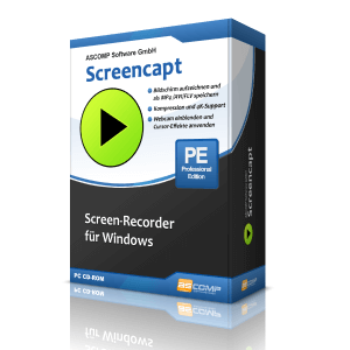
ASCOMP Screencapt Professional is a feature-rich screen recording software for Windows, designed to capture your entire screen, specific regions, or windows, with support for integrated audio, webcam overlays, and real-time annotations. It's ideal for creating tutorials, webinars, gaming videos, and professional demonstrations.

ASCOMP Screencapt Professional Coupon Code


Table of Contents
What is ASCOMP ScreenCapt Professional?
ASCOMP ScreenCapt Professional is a powerful and easy-to-use screen recording tool made for Windows users. You can record your entire screen, a specific window, or just a selected area—perfect for tutorials, online meetings, or gaming videos. It is capable of recording computer sounds and your voice simultaneously, and even adding a webcam video if you want to appear in the recording.
One of the handy features is the ability to set custom hotkeys to start, stop, pause, or resume your recordings—especially useful when you’re multitasking or using full-screen apps. You are allowed to draw or highlight parts of your screen while recording to make your videos more engaging and easier to follow. Not to mention, ASCOMP ScreenCapt Professional uses the efficient H.264 codec to compress your videos without losing quality and supports various output formats like MP4, AVI, and FLV.

Key Features
- Flexible screen recording (full screen, window, or region)
- Webcam overlay support
- Customizable cursor options
- Audio capture (system and microphone)
- High-quality H.264 compression
- Multiple export formats (MP4, AVI, FLV)
- Smooth recording up to 120 FPS
- User-friendly interface
- Screenshot utility
- Quick sharing and saving options.
Pricing and Subscription Plans
| Plan | Regular Price (USD) | Discounted Price (USD) | Money-Back Guarantee | Auto-Renewal | Coupon Code Available |
| Update License | $14.9 | $5.21 | 14-days | No | Yes |
| Private license | $24.90 | $8.71 | 14-days | No | Yes |
| Company license | $49.9 | $17.46 | 14-days | No | Yes |
Free Trial & Money-Back Guarantee
- Trial version: The Standard Edition is permanently free for private, non-commercial use. This allows testing of all major features, albeit with a watermark.
- Money-back guarantee: Purchases from the ASCOMP website come with a 14-day return window (cancellation policy), allowing you to request a refund within 14 days of purchase.
Auto-Renewal & Cancellation
- No Auto-Renewal: The Professional license is a one-time purchase (lifetime), not a recurring subscription.
- How to Cancel: Since there is no auto-renewal subscription, no cancellation process is necessary. For returns within the guaranteed period, follow instructions on the developer’s site or contact their support.
Discount Coupon Codes
- Verified coupon codes are available, offering up to 65% off on certain plans.
- These coupon codes are time-limited and may change, so check the provider’s site for the latest offers.
Frequently Asked Questions
Which operating systems are supported?
The software works on Windows 7, 8, 8.1, 10, and 11.
Can I record both system audio and my microphone?
Yes. ASCOMP Screencapt Professional lets you capture system sounds and add microphone commentary simultaneously.
Is webcam recording supported?
Absolutely. You can place and resize a webcam overlay on your screen recordings, making it perfect for personal, educational, or professional presentations.
Are there annotation and highlighting features?
Yes. You can draw, highlight, and add notes live during screen recording to emphasize key points—a powerful feature for tutorials and educational content.
Which output formats are available?
Recordings can be saved in MP4, AVI, and FLV formats, supporting efficient H.264 compression for high-quality, small-size videos.
What is the maximum frame rate supported?
You can capture videos at up to 120 FPS, ideal for fast-paced gameplay or smooth professional recordings.
Are there active discount coupon codes?
Yes! Verified 65% off coupon codes are frequently available from Tickcoupon and partner sites. For example, use DY1A***RJ8V at checkout for 65% off the Professional Edition. Always confirm current codes before purchase, as offers may change.
Technical Specifications
| Requirement | Details |
|---|---|
| Operating System | Windows 7, 8, 8.1, 10, 11 |
| Processor | Minimum 1 GHz (2.4 GHz or higher recommended) |
| RAM | 2 GB (4 GB or more recommended) |
| Disk Space | At least 100 MB for installation; additional space required for video recordings |
| Internet | Required for product activation, updates, and registration |
| Languages Supported | English, German, Italian, Russian, Spanish, Swedish |
| Installation Type | Desktop installer (EXE); standard setup, not a web-based or portable app |