65% Off ASCOMP Secure-PDF Professional Coupon Code & Review
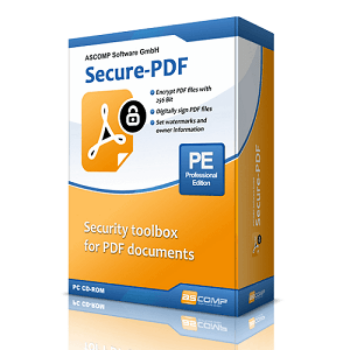
ASCOMP Secure-PDF Professional is a Windows software application designed to secure, encrypt, digitally sign, and watermark PDF documents. It enables users to add AES-256 encryption, set permissions, apply digital signatures, insert watermarks, and manage document ownership information—all with a user-friendly interface.

ASCOMP Secure-PDF Professional Coupon Code
Editing the documents PDF is usually associated with high costs since good PDF editors are quite expensive. Don’t worry use this Ascomp Secure-PDF Professional coupon code right now to get 65% off on the Ascomp Secure-PDF Professional– Private license. Opportunity never knocks twice!


Table of Contents
What is Ascomp Secure-PDF Professional?
ASCOMP Secure-PDF Professional is a powerful and high-performing solution, designed to enhance the security of your PDF documents. It enables users to encrypt their own or others’ PDF documents, offering up to 256-bit AES protection to secure their PDF files effectively. It is not limited to encrypt, it also features digital signing to bolster document integrity by adding digital signatures, verifying authenticity, and ensuring that content is not changed. Additionally, you can set watermarks as well as owner information of PDF documents in just one simple step. It is fully compatible with operating systems Windows including Windows 11, Windows 10 (32-bit & 64-bit), Windows 8.1 (32-bit & 64-bit), Windows 8 (32-bit & 64-bit), Windows 7 (32-bit & 64-bit), Windows Server 2022, Windows Server 2016/2019 (32-bit & 64-bit), and Windows Server 2012 (32-bit & 64-bit).

Key Features
- Offer robust encryption capabilities
- Enhance your documents’ integrity by adding digital signatures, verifying their authenticity, and ensuring that the content has not been altered.
- Set watermarks into your PDFs
- Control how recipients interact with your document by setting permissions, such as disallowing printing, copying, or editing.
- Secure multiple PDF files, streamlining the process of protecting batches of documents with consistent security measures.
- User-Friendly Interface
- Work seamlessly with a variety of PDF documents, ensuring broad applicability across different types and sources of PDFs.
Pricing and Subscription Plans
| Plan | Regular Price (USD) | Discounted Price (USD) | Money-Back Guarantee | Auto-Renewal | Coupon Code Available | Details |
| Update License | $12.9 | $4.52 | 14-days | No | Yes | Renews updates/support for 2 years |
| Private license | $19.9 | $6.96 | 14-days | No | Yes | 1 PC, perpetual license |
| Company license | $39.9 | $13.96 | 14-days | No | Yes | Multi-PC (typically 5 PCs) |
Free Trial & Money-Back Guarantee
- Trial version: Fully functional trial available for 14 days. After the trial, conversions and most functions are restricted until a license is purchased.
- Money-back guarantee: ASCOMP offers a 14-day return policy on purchases made through their official shop. If you are not satisfied, you can request a refund within 14 days.
Auto-Renewal & Cancellation
- No Auto-Renewal: Licenses are lifetime/one-time purchases. There is no auto-renewing subscription; you do not have to cancel anything to avoid recurring payments.
- How to Cancel: Since there is no auto-renewal subscription, no cancellation process is necessary. For returns within the guaranteed period, follow instructions on the developer’s site or contact their support.
Discount Coupon Codes
- Verified coupon codes are available, offering up to 65% off on certain plans.
- These coupon codes are time-limited and may change, so check the provider’s site for the latest offers.
Frequently Asked Questions
What platforms does Secure-PDF Professional support?
The software is compatible with Windows 7, 8, 8.1, 10, and 11 (both 32-bit and 64-bit), as well as Windows Server 2012, 2016, and 2019.
How does Secure-PDF Professional encrypt PDF files?
It provides AES encryption with up to 256-bit key strength, allowing you to protect your PDF files by setting a password that restricts who can open or modify the document.
Can I add digital signatures with Secure-PDF Professional?
Yes, you can digitally sign PDFs with PKCS#12 certificates or signature images to verify authenticity and prevent unauthorized changes to your documents.
Is watermarking supported?
You can easily add custom watermarks to PDFs to protect document origin and prevent unauthorized distribution. Ownership information can also be specified.
Which permissions can I manage with the software?
Secure-PDF Professional allows you to set user permissions for printing, copying, and editing the PDF. Only those with the correct password can access or modify the restricted content.
How do I get a 65% discount coupon?
Visit Tickcoupon, which regularly provides a 65% discount code for ASCOMP Secure-PDF Professional. The code is applied at checkout, significantly reducing the license fee—sometimes to less than $5.
Technical Specifications
| Requirement | Details |
|---|---|
| Operating System | Windows 11, 10, 8.1, 8, 7 (32-bit & 64-bit); Windows Server 2012, 2016, 2019 (32/64-bit) |
| Processor | Intel-compatible processor |
| RAM | 2 GB minimum (4 GB recommended) |
| Disk Space | 50–200 MB free space |
| Internet | Required for product activation, updates, and downloading installer |
| Languages Supported | English, German, and possibly other languages (based on installer options) |
| Installation Type | Standalone offline installer (EXE), no web-based installation needed |